
AR Draw Sketch: Paint & Trace
Art & DesignTrace to draw learn painting for all.
Rating
4.4
Installs
1,000,000+
Price
Free
Screenshots
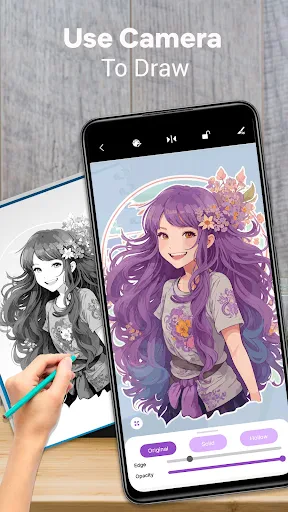
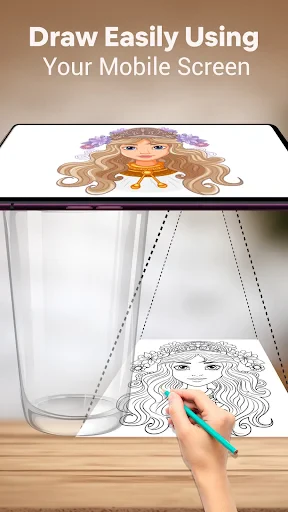
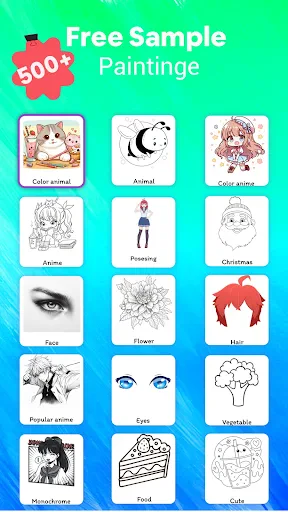
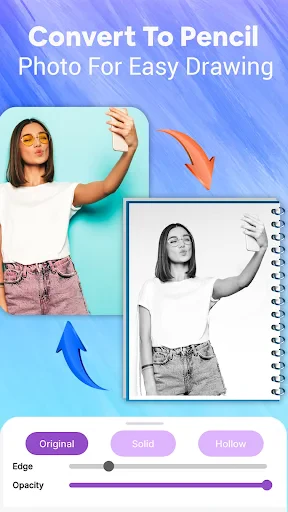
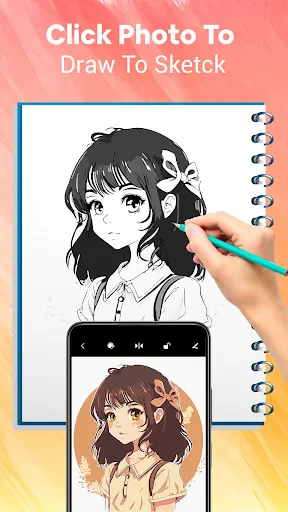
Unleash Your Inner Artist with AR Draw Sketch: Paint & Trace!
Have you ever wanted to tap into your creative side like a famous painter, but without dealing with messy supplies? Meet AR Draw Sketch: Paint & Trace! Think of this app as your personal art coach, ready to help you sketch like a professional, even if you're just starting out with simple drawings.
So, What Exactly Is This App?
Simply put, AR Draw Sketch: Paint & Trace is an augmented reality app that teaches you to draw by showing you an image on a real surface. You pick a picture you'd like to draw, aim your phone's camera at a piece of paper, and there you have it! The app places the image right there for you to trace. It feels like a neat magic trick, powered by clever technology.
How to Create Your First Drawing
Diving into AR drawing is a breeze. After you install the app, you'll find a simple and clear layout that's easy for anyone to use. Start by picking a design from the app's huge collection. Whether you love animals, scenery, or abstract art, there's a perfect choice for you. Once you've selected one, just hold your phone over your paper and follow the on-screen guide to trace the image. It's the perfect training tool for your art journey.
The Magic of Augmented Reality
Let's chat about the augmented reality part. The app uses your phone's camera to place the digital image onto any surface in front of you. This isn't just a cool feature; it's a huge help for beginners. You can see precisely where to move your pencil, making drawing feel effortless. It's also a fantastic way to wow your friends with your new drawing talents!
Reasons This App Is a Must-Try
One of the top reasons to love AR Draw Sketch: Paint & Trace is how it makes everyone feel artistic. It's more than just tracing a picture; it's about picking up skills and getting better with every line you draw. The app teaches you in a natural way, helping you build your confidence step by step.
Handy Tips to Become an App Pro
Here is some helpful advice to get the best experience from the app:
Try Drawing on Various Surfaces: Paper is standard, but test the app on other materials to explore new artistic effects.
Draw Often: Just like any new hobby, regular practice is key. Spend a few minutes drawing daily and you'll see your skills grow.
Dive Into the Collection: Don't just draw the same things. Push yourself by trying different styles to expand your creativity.
To wrap it up, if you're interested in trying art without the fuss of classic materials, AR Draw Sketch: Paint & Trace is the perfect choice. It's enjoyable, informative, and a fantastic way to spend your time while developing your creativity. So, pick up your phone, get the app, and start creating. You might just find a hidden talent you never knew you had
Pros
- • Easy-to-use interface for beginners
- • Wide selection of drawing templates
- • Supports various image formats
- • Real-time tracing with camera
- • Offline access to saved projects
Cons
- • Limited free features
- • Ads can be intrusive
- • Occasional app crashes
- • No multi-device sync
- • Some templates require in-app purchases
FAQ
What is AR Draw Sketch: Paint & Trace?
AR Draw Sketch: Paint & Trace is an innovative mobile application designed to assist users in enhancing their drawing skills. By utilizing augmented reality technology, the app allows users to trace over projected images on a screen or surface, making it ideal for learning and practicing drawing techniques in a fun and interactive way.
How does AR Draw Sketch: Paint & Trace work?
The application employs augmented reality to project images onto your device's screen, which can then be traced over with a stylus or finger. Users can select from a variety of templates or upload their own images to trace. The app's intuitive interface guides users through the tracing process, helping them improve their drawing precision and creativity.
Is AR Draw Sketch: Paint & Trace suitable for beginners?
Yes, AR Draw Sketch: Paint & Trace is perfect for beginners as well as experienced artists. The app offers a wide range of templates and step-by-step guidance, making it easy for novices to start their drawing journey. Additionally, users can adjust difficulty settings to match their skill level, allowing for a personalized learning experience.
Are there any in-app purchases in AR Draw Sketch: Paint & Trace?
While AR Draw Sketch: Paint & Trace is free to download, it does offer in-app purchases. These may include additional templates, advanced tools, or ad-free experiences. The basic features, however, are sufficient for most users to enjoy and benefit from the app without the need for extra purchases.
What devices are compatible with AR Draw Sketch: Paint & Trace?
AR Draw Sketch: Paint & Trace is compatible with both Android and iOS devices equipped with AR capabilities. Users should ensure that their device meets the minimum system requirements for the app to function smoothly. It's available on Google Play Store for Android users and the Apple App Store for iOS users.