
FX File Explorer: Plus License
BusinessPremium file manager for Android power users.
Rating
4.0
Installs
100,000+
Price
$2.99
Screenshots
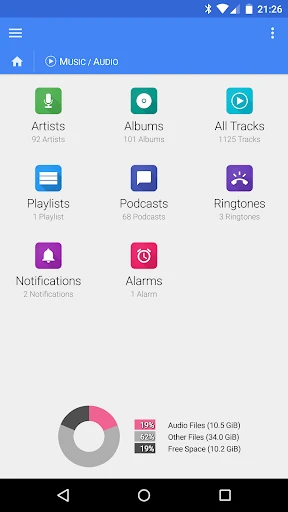
A Closer Look at FX File Explorer: Plus License
Hey there, fellow app enthusiasts! Today, I’m diving into the world of file management with a closer look at FX File Explorer: Plus License. If you’re anything like me, you've probably got a ton of files scattered across your Android device, and keeping them organized can feel like herding cats. Fear not, though, because this app promises to turn that chaos into a well-ordered digital library.
Getting Around is a Breeze
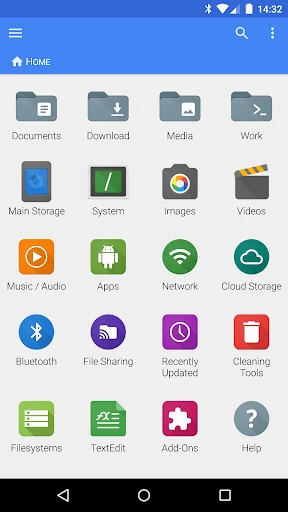
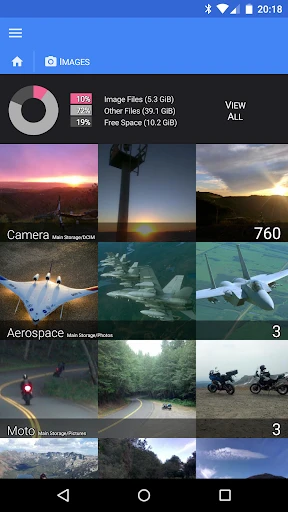
First things first, let’s talk about the user interface. One of the things I appreciate about FX File Explorer is its straightforward and clean design. You’re greeted with a home screen that displays all your usual suspects: downloads, images, music, and videos, making it super easy to find what you’re looking for. The navigation is intuitive, so even if you're not a techie, you'll get the hang of it in no time.
Powerful Tools for Your Files
With the Plus License version, you unlock a suite of pro-level features that make managing files a breeze. Whether you’re moving, copying, or deleting files, it’s just a few taps away. And let’s not forget the multitasking abilities—split screens let you drag and drop files between folders like a boss. It’s like having a mini desktop experience right in the palm of your hand.
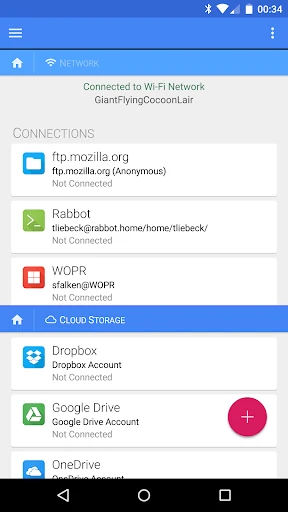
Oh, and did I mention the app supports a wide range of file types? From PDFs to ZIP files, FX File Explorer has got you covered. It even lets you explore your cloud storage and networked devices, which is a huge plus for those of us who juggle multiple devices.
Keeping Your Stuff Private and Secure
In a time where privacy is a big deal, FX File Explorer steps up with its no-tracking policy. That’s right, this app doesn’t collect any of your data, which is a breath of fresh air. You can manage your files without worrying about Big Brother watching over your shoulder. Plus, it offers encryption for your sensitive files, adding an extra layer of security.
Find Anything in a Flash
If you’re like me and tend to lose files in the abyss of your storage, the search functionality will be your new best friend. It’s fast and accurate, helping you locate that one elusive document just in time for your meeting. I found this feature particularly helpful when I needed to quickly access files without scrolling endlessly.
In conclusion, FX File Explorer: Plus License is more than just a file manager; it’s a comprehensive tool that keeps your digital life organized and secure. Whether you’re a casual user or someone who needs heavy-duty file management, this app adapts to your needs with ease. So, if you’re on the hunt for a reliable file explorer, give this one a whirl. Happy organizing
Pros
- • User-friendly interface with easy navigation.
- • Supports multiple cloud storage services.
- • Advanced file management features.
- • Built-in media player and text editor.
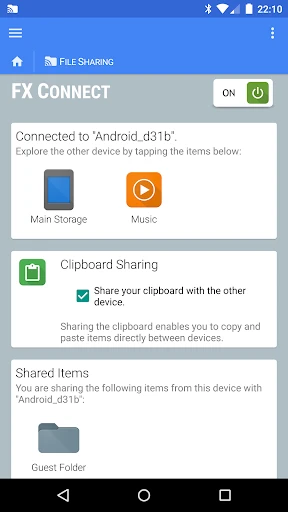
- • Secure file transfer over Wi-Fi.
Cons
- • Lacks integration with some newer cloud services.
- • Occasional ads in the free version.
- • Limited customization options.
- • Some features require the Plus License.
- • Interface may seem outdated to some users.
FAQ
What is FX File Explorer: Plus License?
FX File Explorer: Plus License is a premium add-on for the FX File Explorer app, an advanced file management tool for Android devices. This upgrade unlocks additional features such as network capabilities, cloud storage access, and enhanced privacy options, providing a more robust and versatile file management experience.
How do I install FX File Explorer: Plus License?
To install FX File Explorer: Plus License, first ensure you have the FX File Explorer app installed on your Android device. Then, purchase the Plus License from the Google Play Store. The license will automatically integrate with your existing FX File Explorer app, unlocking the premium features without requiring any additional downloads.
What additional features does the Plus License offer?
The Plus License for FX File Explorer provides several advanced features that enhance your file management experience. These include access to network storage like FTP, SMB, and WebDAV, cloud storage services such as Dropbox and Google Drive, encrypted file storage, and advanced file search and media capabilities, making it a comprehensive tool for managing files.
Is FX File Explorer: Plus License available for iOS?
FX File Explorer: Plus License is currently available only for Android devices. There is no iOS version of the app or the Plus License. Users with iOS devices will need to explore alternative file management apps designed for the iOS platform to achieve similar functionality.
Can I use FX File Explorer: Plus License on multiple devices?
Yes, you can use FX File Explorer: Plus License on multiple Android devices, provided they are linked to the same Google account used to purchase the license. This feature allows users to maintain consistency across devices without needing to purchase multiple licenses, making it convenient for users with multiple Android devices.