
CDisplayEx Comic Reader Lite
ComicsComic Book Reader For Android Devices.
Rating
4.4
Installs
1,000,000+
Price
Free
Screenshots
CDisplayEx Comic Reader Lite: A User's Honest Take
Hey there, comic fans! Looking for a good comic reader for your phone? Let me share my thoughts on CDisplayEx Comic Reader Lite. This app is pretty well-known for its simple, straightforward approach to reading comics. Let's jump in and see what this handy app is all about!
Getting the App Up and Running
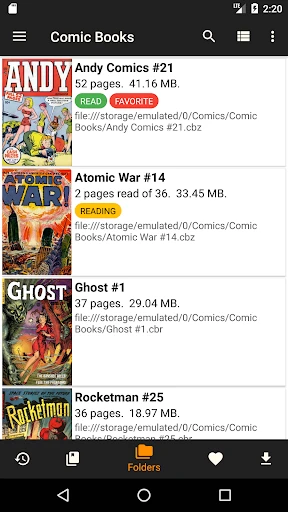
My first impression of CDisplayEx Comic Reader Lite was how light it is on your device. Downloading and installing it was super quick, and it doesn't hog a lot of storage space, which is always a win. When you open the app, the layout is simple and clean. It’s not fancy, but it works well and keeps you focused on your comics.
Diving Into Your Comics
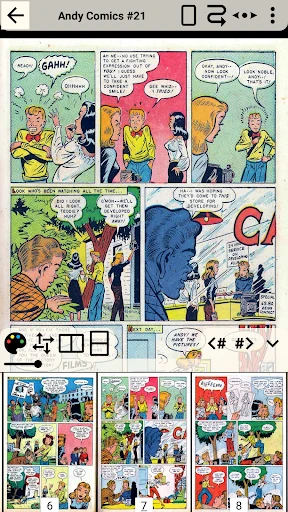
When you actually start reading, CDisplayEx does a great job. It opens a bunch of different file types like CBR, CBZ, and even PDFs, so you can read almost any comic in your collection. Pages load fast, and you can easily zoom in on panels with a pinch. The pictures look sharp and the colors are bright, which makes reading really pleasant.
A feature I really appreciated is that the app remembers your place. It seems like a small thing, but it saves you from flipping through pages to find where you stopped, which is super helpful if you're reading a few comics at the same time.
Moving Around the App
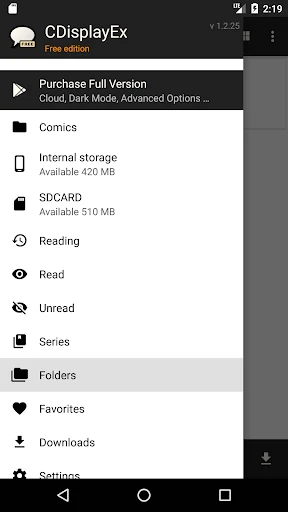
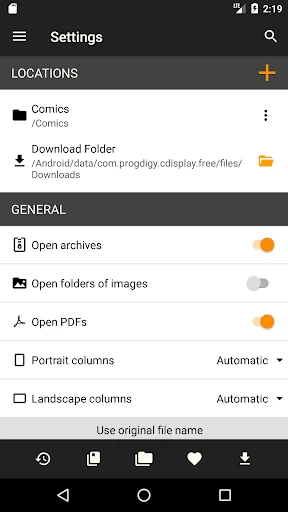
The look of CDisplayEx Comic Reader Lite probably won't blow you away, but it's easy to use and find your way around. There's a basic menu to get to your library, change settings, and look through your device's files. It doesn't have all the fancy options some other readers have, but it's perfect if you just want to start reading your comics without any complications.
Just a heads-up: this is the Lite version, so you will see some ads. They aren't too annoying, but if you really dislike ads, you might think about getting the full version instead.
Wrapping It Up
In the end, CDisplayEx Comic Reader Lite is a reliable pick for anyone who wants a simple app for reading comics. It might not have every extra feature out there, but it does its main job perfectly—it lets you read your comics easily. With its support for many file types and smooth performance, it's certainly worth a try if you haven't used it yet.
So, if you're set to get lost in some great stories, give CDisplayEx Comic Reader Lite a go. It could easily become your favorite app for reading all your comics
Pros
- • Fast and responsive user interface.
- • Supports a wide range of comic formats.
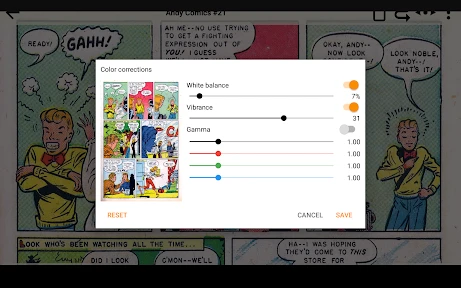
- • Customizable reading settings.
- • Offline reading mode available.
- • Lightweight and easy to install.
Cons
- • Free version has ads.
- • Limited features in the free version.
- • No cloud sync for comics.
- • Occasional crashes reported.
- • No annotation feature.
FAQ
What is CDisplayEx Comic Reader Lite?
CDisplayEx Comic Reader Lite is an efficient and user-friendly comic book reader for Android and iOS devices. It supports a wide range of comic book formats, including CBR, CBZ, and PDF, allowing users to view their favorite comics with ease. The app is known for its fast rendering and smooth navigation.
Is CDisplayEx Comic Reader Lite free to use?
Yes, CDisplayEx Comic Reader Lite is free to download and use. However, it may offer in-app purchases or ads to enhance the user experience. The free version provides basic features needed for comic reading, while additional premium features may be available for a fee.
What comic formats are supported by CDisplayEx Comic Reader Lite?
CDisplayEx Comic Reader Lite supports various popular comic formats such as CBR, CBZ, and PDF. This allows users to enjoy a wide range of digital comics without worrying about compatibility issues. The app ensures smooth reading regardless of the format, making it versatile for comic enthusiasts.
Does CDisplayEx Comic Reader Lite require an internet connection?
CDisplayEx Comic Reader Lite does not require an internet connection to read comics once they are downloaded onto your device. However, an internet connection may be necessary for initial app download, updates, and accessing any online features or purchasing additional content.
How can I customize my reading experience in CDisplayEx Comic Reader Lite?
CDisplayEx Comic Reader Lite offers several customization options to enhance your reading experience. Users can adjust brightness, page layout, and zoom levels to suit their preferences. The app also supports night mode and various reading directions, allowing for a personalized comic reading experience.