
Sticker.ly - Sticker Maker
CommunicationPersonalize Chats With Custom Stickers For Everyone.
Rating
4.6
Installs
100,000,000+
Price
Free
Screenshots
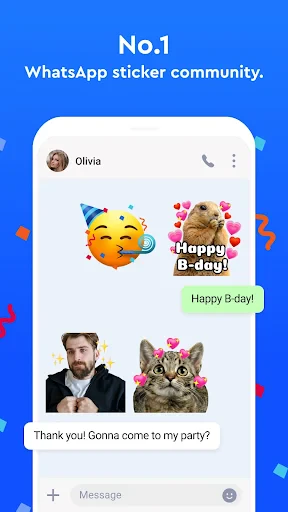
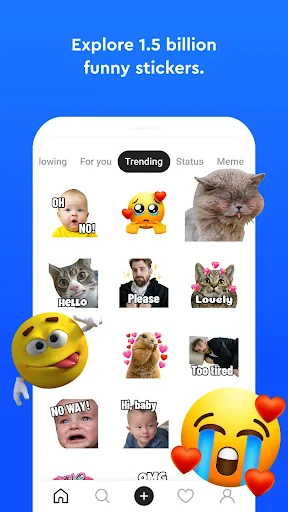
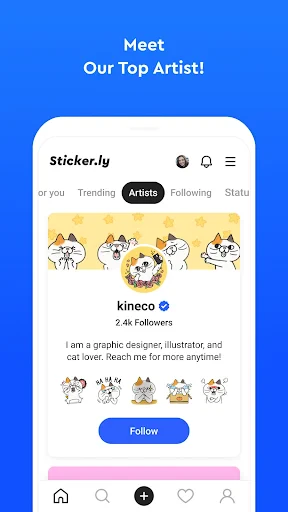
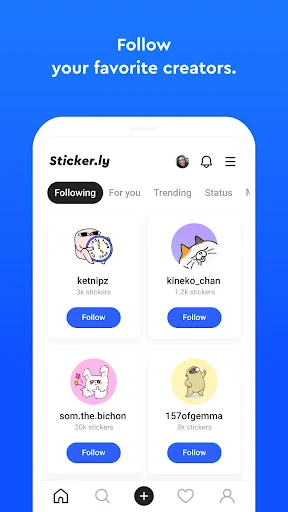
Unleashing Creativity with Sticker.ly: Your Ultimate Sticker Making Companion
Hey everyone, sticker fans! If you're like me, you've probably spent way too much time looking through tons of sticker packs to find the one that says exactly what you want. Good news: that search is over. Sticker.ly is here to totally change how you message. Whether you're on an Android or an iPhone, this app is your new best friend for making and sharing one-of-a-kind stickers that show off your unique style and mood.
Getting Started is Super Simple
First, let's chat about how easy it is to start using Sticker.ly. The app is designed to be super simple, so even if you're not great with tech, you'll find your way around. After you download it, you'll see a clean and welcoming home screen that invites you to start creating right away. There are no confusing menus or too many choices—just a direct route to making awesome stickers.
Cool Tools to Get Your Ideas Flowing
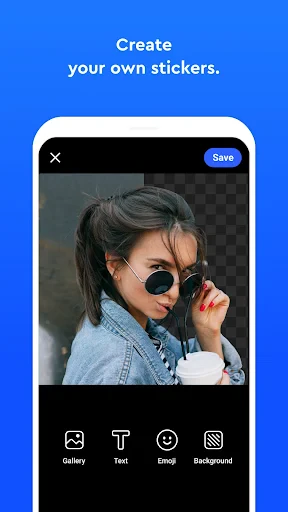
What really makes Sticker.ly special is its awesome set of tools that work for both beginners and pros. You can make stickers from your own pictures or pick from a huge collection of ready-made designs. The app has a smart cut-out tool that lets you trim your images perfectly, so your stickers look clean and pro. You can also add words, emojis, and your own drawings, so your stickers can be totally fun or stylish—whatever you're feeling.
Another amazing feature is the auto-cut tool. It automatically finds the main subject in your photo and cuts it out from the background. This is a massive time-saver and means you can turn even detailed pictures into stickers in just a few seconds. Seriously, after you use it, you'll wonder how you managed without it.
Join the Fun and Share with Friends
Sticker.ly isn't just for making stickers for yourself; it's also about sharing your creations and seeing what others are making in a lively community. You can send your stickers directly to friends or post them for the whole Sticker.ly community to see and use. You can also browse and download stickers made by other people, which is perfect for when you need a little creative inspiration.
And don't forget about the WhatsApp connection! With one quick tap, you can send your stickers straight to WhatsApp. This makes it incredibly easy to make your chats more fun with custom stickers that nobody else has. Say goodbye to boring, standard stickers—now every chat can be as unique as you are.
Final Thoughts: An Essential App for Any Sticker Fan
To wrap it up, Sticker.ly is a total must-have for anyone who loves expressing themselves with stickers. It stands out because it's so easy to use, has powerful creative tools, and has a fantastic, active community. Whether you want to make your messages more personal or you just love making stickers, you should definitely give Sticker.ly a try.
So, why wait? Jump into Sticker.ly and let your imagination go crazy. Your conversations are about to get a whole lot more interesting
Pros
- • Easy to use interface
- • Wide variety of sticker packs
- • Fast sharing options
- • Supports animated stickers
- • Regular updates
Cons
- • Contains ads
- • Some stickers need payment
- • Limited editing tools
- • Occasional app crashes
- • Requires internet for full features
FAQ
What is Sticker.ly - Sticker Maker and what does it do?
Sticker.ly - Sticker Maker is a creative app that allows users to create custom stickers for various messaging platforms. With an intuitive interface, users can design personalized stickers using photos, text, and graphics. The app also offers a vast library of stickers that can be downloaded and used instantly. Ideal for enhancing conversations, Sticker.ly provides tools for creativity and expression.
Is Sticker.ly - Sticker Maker free to use, or are there any in-app purchases?
Sticker.ly - Sticker Maker is free to download and use, with a range of features accessible at no cost. However, it does offer in-app purchases for premium content and additional features. Users can opt for these purchases to unlock exclusive sticker packs, remove ads, and access other advanced tools, providing a richer experience.
How can I share my created stickers using Sticker.ly?
Sharing stickers made with Sticker.ly is straightforward. Once you've created your stickers, the app provides options to export them directly to popular messaging apps like WhatsApp and Telegram. Simply select your desired sticker pack and follow the on-screen instructions to add them to your messaging app, making your chats more vibrant and personal.
Can I use my own photos to create stickers in Sticker.ly?
Yes, Sticker.ly allows you to use your own photos to create unique stickers. The app offers editing tools that enable you to cut out parts of your photos, add text, and use various effects to enhance your stickers. This feature ensures that users can personalize their stickers to reflect their style and creativity.
Is Sticker.ly - Sticker Maker available on both Android and iOS platforms?
Sticker.ly - Sticker Maker is available on both Android and iOS platforms, making it accessible to a wide range of users. The app can be downloaded from the Google Play Store for Android devices and the Apple App Store for iOS devices. It is designed to work seamlessly on both platforms, ensuring a smooth user experience.