
Watch Sync App - BT Notifier
CommunicationSmart Watch Notifications For Your Android Phone.
Rating
4.2
Installs
5,000,000+
Price
Free
Screenshots
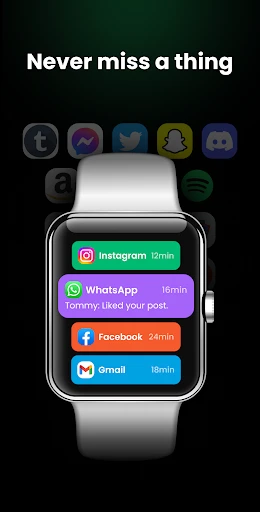
Your Personal Wrist Assistant: The Watch Sync App
If you're anything like me, you probably wear your smartwatch everywhere and love the convenience of staying connected without having to constantly check your phone. It's like having a personal assistant strapped to your wrist. Enter the Watch Sync App - BT Notifier, an app that promises to take this experience to a whole new level by seamlessly syncing your smartwatch with your smartphone. Let's dive into what makes this app tick.
Effortless Synchronization
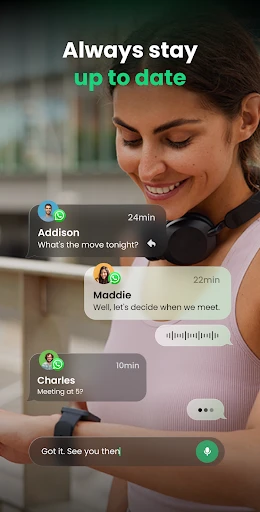
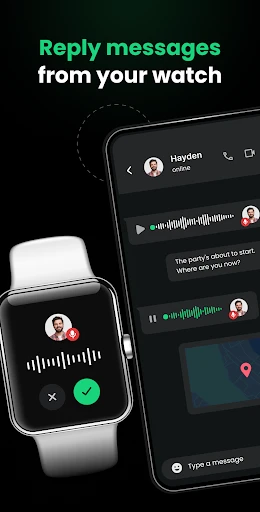
Imagine a world where your smartwatch and smartphone are in perfect harmony. That's the world the Watch Sync App - BT Notifier aims to create. The app is designed to enable seamless synchronization between your devices, allowing you to receive notifications, messages, and calls directly on your smartwatch. No more awkwardly fishing your phone out of your pocket every time it buzzes.
Setting Up
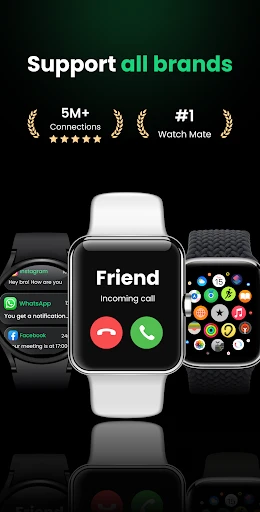
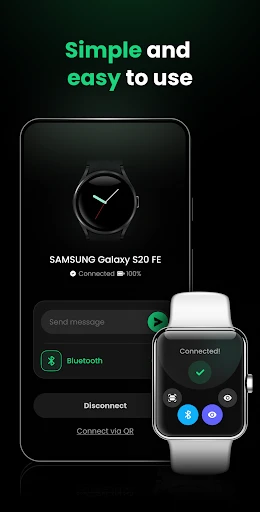
Setting up the app is a breeze. Once you download it from the app store, simply pair it with your smartwatch via Bluetooth. The intuitive interface guides you through the process, and within minutes, you’re all set. The app supports a wide range of smartwatch brands, making it versatile for most users.
Once connected, you can customize which notifications you want to receive on your watch. Whether it's emails, social media alerts, or just calls and texts, you have full control. The app even lets you filter notifications so you only get what's most important to you. Pretty neat, right?
User Experience
One of the standout features of the app is its user-friendly interface. It's designed to be simple and straightforward, so even if you're not tech-savvy, you'll find it easy to navigate. The app runs smoothly and doesn’t hog your phone’s resources, which is always a plus in my book.
Another cool feature is the alert customization. You can set custom vibration patterns or tones for different notifications, which adds a personal touch to your smartwatch. And trust me, once you get used to having your notifications at a glance, you’ll wonder how you ever lived without it.
Performance
Performance-wise, the app does not disappoint. It maintains a stable connection between your devices, ensuring that you never miss an important alert. The battery consumption is also minimal, so you don’t have to worry about your smartwatch dying halfway through the day.
The app is regularly updated to fix bugs and improve performance, which shows that the developers are committed to delivering a quality product. This level of commitment is something I truly appreciate, as it keeps the app running smoothly and efficiently.
In conclusion, if you're looking for an app that bridges the gap between your smartphone and smartwatch, the Watch Sync App - BT Notifier is definitely worth considering. It offers a hassle-free way to stay connected and is packed with features that enhance your smartwatch experience. So go ahead, give it a try, and unlock the full potential of your smartwatch!
Pros
- • Seamlessly syncs notifications to your smartwatch.
- • Supports a wide range of smartwatch brands.
- • User-friendly interface with easy setup.
- • Reliable Bluetooth connectivity.
- • Low battery consumption.
Cons
- • Limited features in the free version.
- • Occasional connectivity issues.
- • Some smartwatches may not be compatible.
- • Ads can be intrusive at times.
- • Requires constant Bluetooth connection.
FAQ
What is Watch Sync App - BT Notifier and how does it work?
Watch Sync App - BT Notifier is an application designed to synchronize your smartphone with your smartwatch. It enables seamless communication between the two devices, allowing notifications from your phone to be displayed on your watch. Users can receive calls, messages, and app alerts right on their wrist, making it convenient to stay connected without constantly checking the phone.
Is Watch Sync App - BT Notifier compatible with all smartwatches and smartphones?
The app is compatible with a wide range of Android and iOS devices, but it's essential to check specific compatibility with your smartwatch model. While most popular brands are supported, certain features may vary depending on the device. It's recommended to ensure both your phone and watch are running the latest software versions for optimal performance.
How do I set up the Watch Sync App - BT Notifier on my devices?
Setting up the Watch Sync App - BT Notifier is straightforward. First, download the app from the Google Play Store or Apple App Store. Once installed, enable Bluetooth on both your smartphone and smartwatch. Open the app and follow the on-screen instructions to pair your devices. Ensure both devices are within close proximity during the setup process for a successful connection.
What features does Watch Sync App - BT Notifier offer beyond notifications?
Beyond displaying notifications, the Watch Sync App - BT Notifier offers features such as call management, message previews, and the ability to control music playback. It may also include fitness tracking data synchronization, depending on the smartwatch model. These features enhance the overall functionality of your smartwatch, making it a versatile companion for daily activities.
Are there any privacy concerns with using Watch Sync App - BT Notifier?
The app requires certain permissions to function correctly, such as access to notifications and Bluetooth connectivity. While these permissions are necessary, users should be aware of the information shared between devices. It's advisable to review the app's privacy policy to understand how data is handled. Users can also manage permissions through their device settings to ensure privacy preferences are respected.