
Session - Private Messenger
CommunicationSecure Private Messenger For Disappearing Chats.
Rating
3.9
Installs
1,000,000+
Price
Free
Screenshots
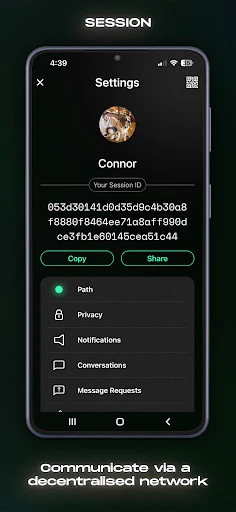
Session - Private Messenger: A Hands-On Look
Putting Your Privacy First
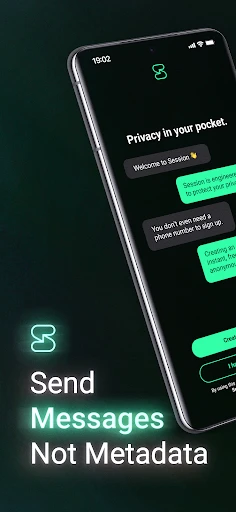
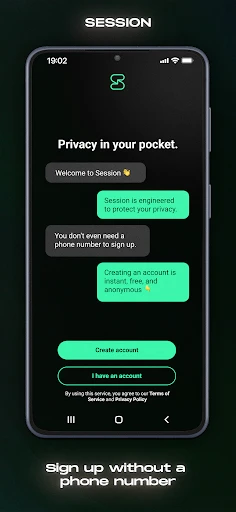
In today’s online world, keeping your chats to yourself can feel like a challenge. That’s where Session - Private Messenger comes in, promising to put your privacy front and center. What really got my attention was that you don’t need a phone number or email to sign up. No personal details required. It’s pretty great to find an app that takes being anonymous this seriously.
Looking into it more, I learned that Session operates on a special decentralized network. This setup means your conversations aren’t kept on one main server, which lowers the chance of your data being hacked. It’s powered by blockchain tech, a term you hear a lot, but here it actually helps make things more secure. Plus, every message is locked with end-to-end encryption, so only you and the person you’re talking to can see what’s said.
Noteworthy Features and Tools
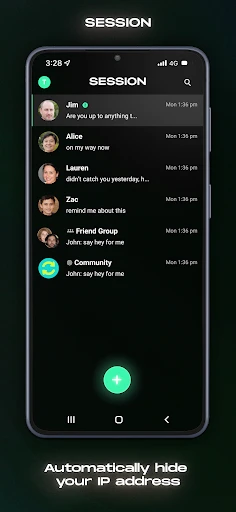
Privacy is the big draw, but Session also comes with all the essential messaging features. You can exchange texts, send voice notes, and even make voice calls. The layout is simple and user-friendly, so you won’t get lost navigating it. I was especially impressed with the group chat option, which lets you talk with several people at once while still keeping everything private.
Another cool feature is the self-destructing messages. You can choose a time limit for how long your messages stay visible before they disappear. It’s a handy extra for those extra-sensitive chats you don’t want to leave a trace of.
How It Performs and Handles
So, how does it work in practice? For the most part, Session runs pretty well. Sending messages and files is fast, though I did notice some slight delays now and then, particularly during voice calls. It’s nothing major, but worth knowing if you plan on calling often.
In terms of usability, the app is simple to grasp. Even if you’re not super comfortable with technology, you’ll likely find it easy to get started. There’s a small learning curve when it comes to getting your head around the decentralized network, but it’s nothing too overwhelming.
Wrapping Up My Impressions
All in all, Session - Private Messenger is a welcome change in a space full of messaging apps. It’s an excellent pick for anyone who wants to keep their conversations confidential but still have access to the features they need. It might not become your main messaging app overnight, but it’s a strong option for when you need that extra layer of privacy. If keeping your chats secure is important to you, it’s definitely worth checking out. You might discover it’s just what you’ve been looking for.
Pros
- • End-to-end encryption for all chats.
- • No ads or trackers in the app.
- • Open-source and transparent.
- • Supports voice and video calls.
- • Cross-platform compatibility.
Cons
- • Limited user base compared to other messengers.
- • Occasional connectivity issues.
- • No cloud backup for chat history.
- • Lacks advanced features like bots.
- • User interface is not very intuitive.
FAQ
What is Session - Private Messenger?
Session - Private Messenger is a privacy-focused messaging app designed to keep your communications secure and anonymous. It uses a decentralized network to send messages, ensuring that your data is not stored on centralized servers. This makes it an ideal choice for users who prioritize privacy and security in their online communications.
How does Session ensure my privacy and security?
Session ensures your privacy and security by using a decentralized network that prevents data storage on centralized servers. All messages are encrypted end-to-end, protecting them from interception. Additionally, it does not require phone numbers or email addresses for registration, further enhancing user anonymity and privacy.
Is Session - Private Messenger free to use?
Yes, Session - Private Messenger is completely free to use. There are no hidden charges or subscription fees involved. Users can download the app and enjoy all of its privacy-focused features without any cost, making it accessible to anyone who values secure communication.
Can I use Session for group chats and file sharing?
Yes, Session supports both group chats and file sharing. You can create group chats and share files securely with multiple contacts. The app's robust encryption and privacy features ensure that your group communications and shared files remain confidential and protected from unauthorized access.
On which platforms is Session available?
Session - Private Messenger is available on multiple platforms, including Android and iOS. This cross-platform availability ensures that users can communicate securely across different devices, making it convenient for those who switch between mobile platforms or want to connect with contacts using different operating systems.