
PS Remote Play
EntertainmentPlayStation games on your phone anytime.
Rating
3.2
Installs
10,000,000+
Price
Free
Screenshots
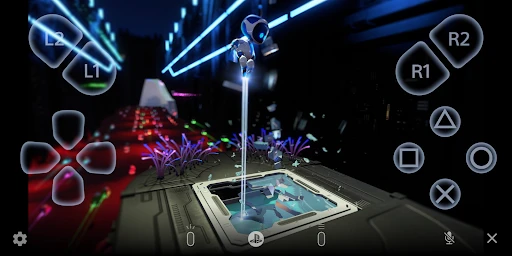
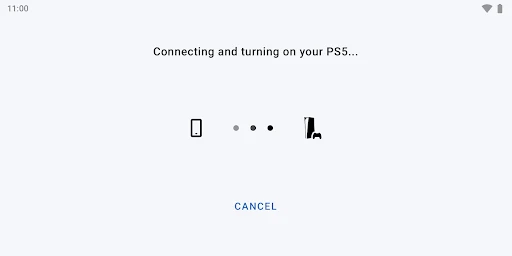
Play Your PlayStation Games Anywhere: A Look at PS Remote Play
Getting Started and What You'll Need
First things first, let’s talk about getting everything up and running. I have to admit, I was a little worried it would be a hassle to set up. But it turned out to be much easier than I thought. All you really need is your PlayStation Network account and a solid internet connection. Just grab the app, log in, and connect it to your console. That’s pretty much it!
The app works on a bunch of different gadgets like phones, tablets, and computers. Just a heads-up, though, it runs best on the newer PlayStation consoles like the PS4 and PS5. If you have an older model, it might not work as well.
What It's Actually Like to Play
Now for the big question—how does it feel to play? I tried it out with a few different games, and I was really pleased with how well it worked. Since the game is streaming right from your console, the visuals and audio are fantastic. It honestly felt just like I was playing on my PS5, even though I was just on my phone.
That said, your internet connection is the real key here. You’ll want a fast and stable connection to prevent any annoying lag or pauses. My Wi-Fi had a couple of weak moments, and I did notice some stuttering, but it wasn’t enough to ruin the fun.
Using the Controls and Getting Around
One feature that really stood out to me was the control setup. You can use the touch screen on your device, but I found it way better to connect a real controller, like a DualShock or DualSense. It just makes the whole experience feel more natural and a lot less awkward. The app itself is simple to navigate, so you can jump right into playing without a fuss.
Wrapping Up
To sum it all up, PS Remote Play is a terrific tool for any PlayStation fan who wants the freedom to game outside of the living room. Sure, you need a good internet connection, but the flexibility and convenience it gives you are totally worth it. Whether you want to keep playing from your bed or get in a quick session on your break, this app makes it possible. So go ahead, download it, and enjoy your games on the go
Pros
- • Stream PS4/PS5 games to your devices.
- • Easy setup with PlayStation Network account.
- • Supports multiple controllers for gameplay.
- • High-quality graphics and sound experience.
- • Access to game library remotely.
Cons
- • Requires stable internet connection.
- • Limited to PlayStation consoles.
- • Some input lag might occur.
- • Mobile data usage can be high.
- • Device compatibility limitations.
FAQ
What is PS Remote Play and how does it work?
PS Remote Play is an application that allows you to stream and play your PlayStation games on your mobile device, PC, or Mac. The app connects to your PlayStation console over an internet connection, enabling you to play games remotely. To use it, you need a PlayStation Network account and a strong internet connection for optimal performance.
What devices are compatible with PS Remote Play?
PS Remote Play is compatible with several devices, including Android smartphones and tablets, iOS devices (iPhone and iPad), Windows PC, and Mac. Additionally, certain Sony Xperia devices support this app. Ensure your device meets the necessary system requirements for the best experience, including having the latest OS updates installed.
Do I need a PlayStation console to use PS Remote Play?
Yes, you need a PlayStation console, such as PS4 or PS5, to use PS Remote Play. The app acts as a bridge to connect your console to your device, allowing you to play your games remotely. Without a compatible PlayStation console, you won't be able to access or play games using this app.
Is an internet connection required for PS Remote Play?
Yes, a stable and fast internet connection is essential for using PS Remote Play. Both your PlayStation console and the device you are streaming to must be connected to the internet. A high-speed Wi-Fi connection is recommended to ensure smooth gameplay and minimal lag during your gaming sessions.
Can I use a controller with PS Remote Play?
Yes, you can use a controller with PS Remote Play. The app supports DualShock 4 and DualSense wireless controllers, allowing you to have a console-like experience on your device. Connect your controller via Bluetooth for seamless gameplay. Ensure your device supports Bluetooth connectivity for this feature.