
Remote for Smart Samsung TV
House & HomeSmart Remote For Samsung TV Users.
Rating
4.2
Installs
10,000,000+
Price
Free
Screenshots
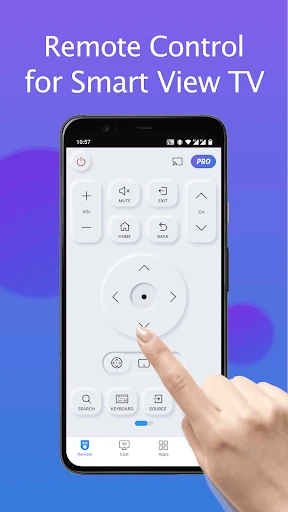
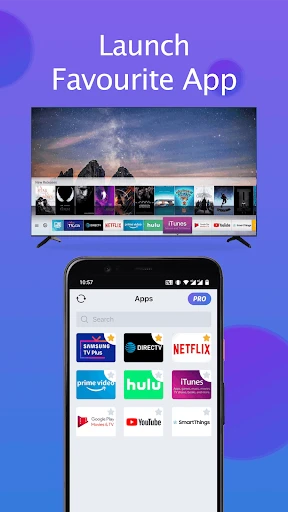
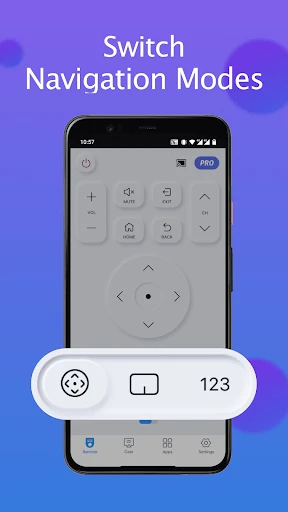
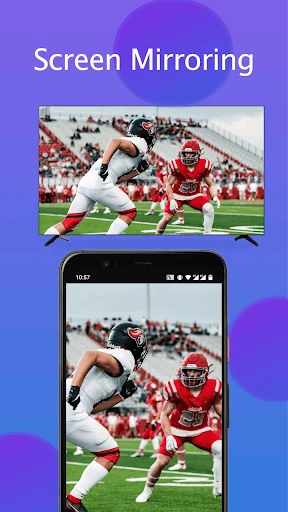
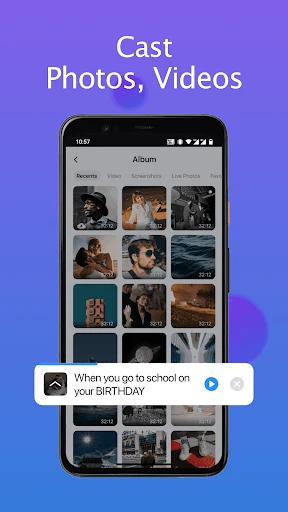
Transform Your Smartphone into a Samsung TV Remote
Alright everyone, let's get straight to the good stuff. We've all been there—digging through the sofa cushions or checking under the coffee table for the TV remote. Well, you can stop the search party right now. The Remote for Smart Samsung TV app is your new best friend. This clever app transforms your smartphone into a fully-featured remote for your Samsung TV, making it super simple to flip through channels and more.
A Breeze to Use: The App's Smooth Design
First up, let's chat about how the app looks and feels. A real highlight of the Remote for Smart Samsung TV app is its straightforward, no-fuss design. The team behind it really focused on making it simple to get around. With big, clear buttons and a clean layout, even if you're not super techy, you'll be using it like a pro in minutes. It’s basically your classic remote, but with a sleek, modern upgrade.
No Wires, No Fuss: Easy TV Connection
You're probably thinking, "Okay, but does it actually connect to my TV without a headache?" The answer is a solid yes. Linking up with your Samsung TV is incredibly simple. The app uses your home Wi-Fi to talk to your TV, so there's no need for any extra hardware. Just make sure your phone and TV are on the same Wi-Fi network, and you're good to go. It feels like magic, but it's just smart technology.
More Than Just Buttons: Handy Features Galore
Now, let's talk about what this app can really do. Beyond just changing the channel and adjusting the volume, it's loaded with useful options that make watching TV even better. You can open apps on your Samsung TV, browse through settings menus, and best of all, use a keyboard for typing. This is a total lifesaver when you need to enter passwords for Netflix or search for a movie title.
Channel navigation
Volume control
Access to TV apps
Menu navigation
Keyboard functionality
The Perks of a Phone Remote
So, why should every Samsung TV owner download this app? It all comes down to pure convenience and flexibility. Picture this: controlling your TV from the kitchen, the bedroom, or anywhere else in your home, as long as you have Wi-Fi. No more awkwardly aiming a remote or having to get up to find it. It’s also the perfect backup for when your regular remote’s batteries die or it goes missing.
Wrapping It Up
To sum it all up, the Remote for Smart Samsung TV app is like carrying a universal remote in your pocket. It’s super handy, incredibly easy to use, and loaded with features that make watching TV better. Whether you love gadgets or just want to make your life a little easier, this app is definitely worth downloading. Say goodbye to the endless remote hunt and hello to smooth, effortless control.
So, the next time your remote is playing hide-and-seek, or you just want a smarter way to manage your TV, give this app a try. You'll have the power of your television right at your fingertips
Pros
- • Easy to use interface
- • Compatible with most Samsung TVs
- • Quick and responsive controls
- • Supports multiple devices
- • Customizable remote layout
Cons
- • Requires in-app purchases for full features
- • Limited features compared to physical remote
- • Occasional connectivity issues
- • Ads can be intrusive
- • Not compatible with older TV models
FAQ
How do I set up the Remote for Smart Samsung TV app?
Setting up the Remote for Smart Samsung TV app is straightforward. First, ensure that your smartphone and Samsung Smart TV are connected to the same Wi-Fi network. Download and install the app from the respective app store. Open the app, and it will automatically search for and connect to your TV. Follow the on-screen instructions to complete the setup.
Is the app compatible with all Samsung Smart TV models?
The Remote for Smart Samsung TV app is designed to work with most Samsung Smart TV models manufactured after 2012. However, compatibility might vary depending on the specific features and software version of the TV. It's recommended to check the app's compatibility list or contact customer support for confirmation before downloading.
Does the app offer voice control functionality?
Yes, the Remote for Smart Samsung TV app includes voice control functionality, allowing you to control your TV using voice commands. This feature can be particularly useful for searching content, adjusting volume, or switching channels hands-free. Ensure your smartphone's microphone is enabled and follow the app's instructions to set up voice control.
Are there any in-app purchases or subscription fees for using the app?
The Remote for Smart Samsung TV app is free to download and use. However, it may offer optional in-app purchases or premium features that enhance its functionality, such as removing ads or accessing advanced controls. These purchases are one-time payments or subscriptions and are entirely optional for the users.
What should I do if the app fails to connect to my TV?
If the Remote for Smart Samsung TV app fails to connect, first ensure your TV and smartphone are on the same Wi-Fi network. Restart both devices and try reconnecting. If issues persist, check for any available updates for the app or your TV's firmware. You can also consult the app's help section or contact customer support for further assistance.