
TP-LINK tpCamera
Libraries & DemoSecure Home Monitoring For Family Peace.
Rating
4.2
Installs
1,000,000+
Price
Free
Screenshots
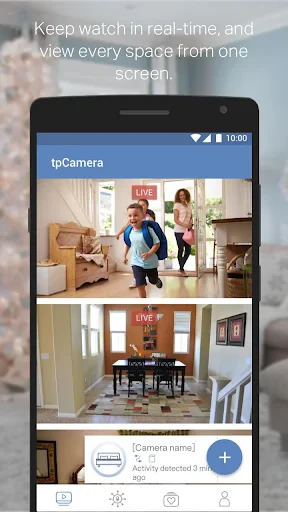
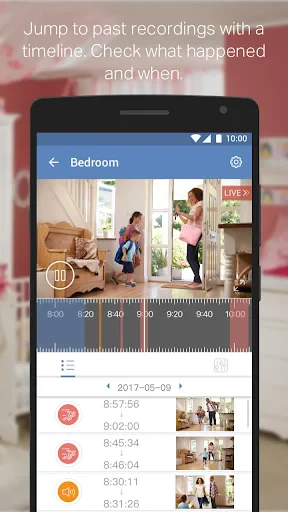
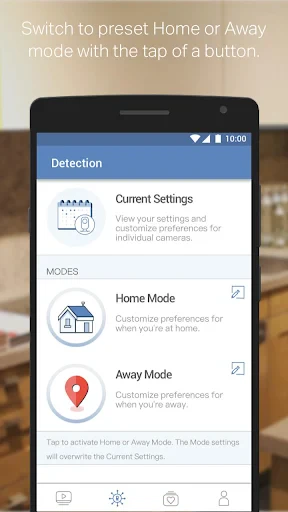
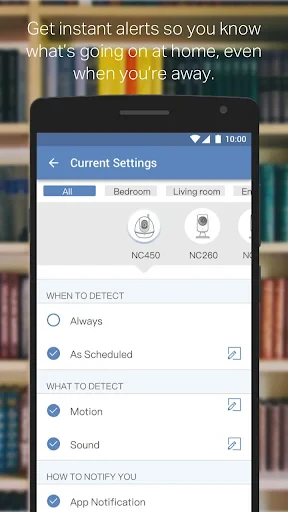
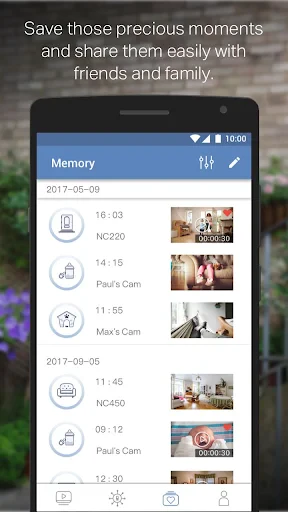
Transform Your Smartphone into a Surveillance Control Center with TP-LINK’s tpCamera App
Getting Your Virtual Security Hub Up and Running
Getting started with tpCamera is a simple process. After you install the app, it guides you to set up a TP-LINK Cloud account, which only takes a few easy steps. You can then add your cameras by scanning a QR code or typing in the device ID by hand. It's really that easy, and in just a few minutes, your cameras will be online and ready to use.
Notable Features That Make a Difference
A really impressive feature of the tpCamera app is its live video streaming. The video quality is great, even if your internet connection isn't the best. You can watch your cameras in real-time, which is ideal for checking in when you're not there. The app also includes two-way audio, letting you talk and listen through your camera—it's like having a walkie-talkie with a built-in viewfinder!
Another useful feature is the motion detection alerts. If the camera senses any movement, it sends a notification straight to your phone. This keeps you informed no matter where you are. You can also adjust the alert sensitivity, so you won't be bothered by every little movement, like a leaf blowing past.
Ease of Use and Navigating the App
In terms of usability, tpCamera does a good job. The interface is clean and straightforward, so getting around is simple. Even if you're not super comfortable with technology, you'll find the features easy to use. The main dashboard shows a quick summary of all your connected cameras and their current status. With just a few taps, you can switch between different camera views or access the settings.
That said, I did notice a small issue while using the app. Sometimes there's a brief lag or delay when you switch from one camera feed to another. It's not a major problem, but it's something to be aware of if you plan on watching several cameras at the same time.
Concluding Impressions
All in all, TP-LINK’s tpCamera app is a strong and reliable tool for anyone who wants to keep an eye on their property from a distance. It's user-friendly and comes with a solid range of features that make it a valuable part of your home security. While it has a few minor quirks, the app's overall performance is what stands out.
Whether you're using it for home security, to watch a baby's room, or just to check on your pets, tpCamera gives you peace of mind right from your phone. So why not try it out and turn your smartphone into a powerful surveillance device? You might just be surprised at how much you come to rely on it
Pros
- • Easy to use interface
- • High-quality video streaming
- • Remote access capabilities
- • Motion detection alerts
- • Affordable pricing
Cons
- • Limited cloud storage
- • Occasional connectivity issues
- • No advanced customization
- • Basic free plan features
- • Requires TP-Link account
FAQ
What features does the TP-LINK tpCamera app offer?
The TP-LINK tpCamera app provides users with the ability to view live video feeds from their TP-LINK cameras. It offers features such as real-time streaming, motion detection alerts, and the ability to record and store video footage. Additionally, the app supports remote access, allowing users to monitor their property from anywhere with an internet connection.
Is the TP-LINK tpCamera app compatible with all TP-LINK camera models?
The TP-LINK tpCamera app is designed to work with a wide range of TP-LINK cameras, but not all models may be supported. It is essential to check the app's compatibility list or the specific camera's documentation to ensure that your camera model is supported by the app for seamless integration and functionality.
How secure is the TP-LINK tpCamera app?
Security is a top priority for the TP-LINK tpCamera app. It employs encryption protocols to protect the video feeds and user data. However, users are advised to regularly update the app and their camera firmware to ensure they have the latest security features and patches, safeguarding their privacy and data.
Can I use the TP-LINK tpCamera app on multiple devices?
Yes, the TP-LINK tpCamera app can be installed and used on multiple devices. This allows users to access their camera feeds from various smartphones or tablets, providing flexibility and convenience. Users simply need to log in with their account credentials on each device to gain access to their cameras.
Does the TP-LINK tpCamera app require a subscription or payment?
The TP-LINK tpCamera app itself is free to download and use. However, certain features, such as cloud storage options, may require a subscription or additional payment. Users should review the app's pricing details and available features to understand any potential costs associated with using the app's premium services.