
Visual discovery for creative inspiration and ideas.
Rating
4.4
Installs
1,000,000,000+
Price
Free
Screenshots

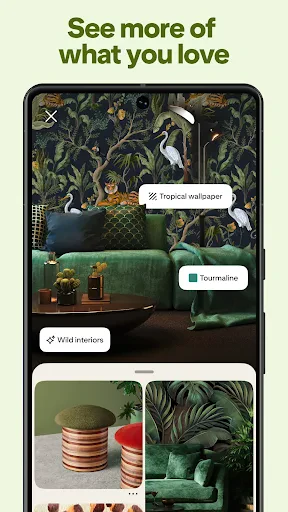
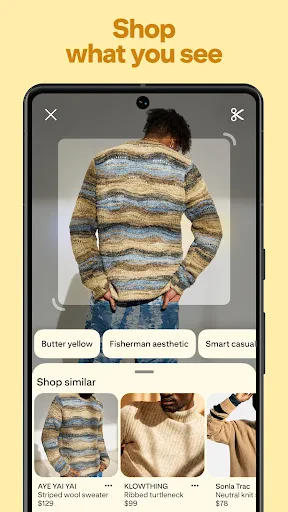
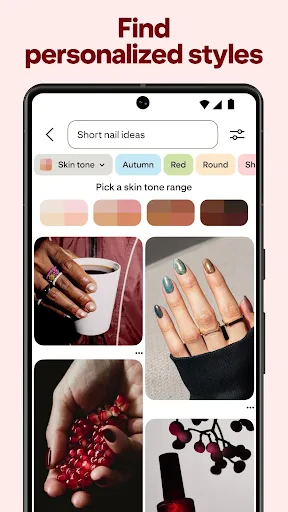
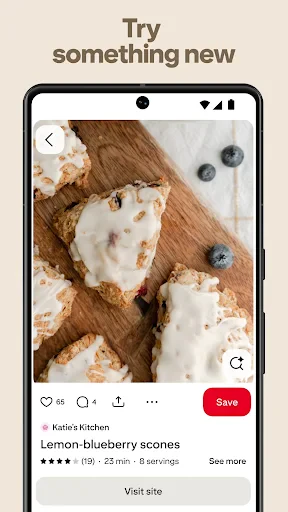
Pinterest is like that cool friend who always has the best ideas for DIY projects, fashion tips, and even recipes you never knew you needed. It's the virtual mood board that has taken the world by storm, and after spending some quality time with it, I can see why.
Your Go-To Spot for Creative Ideas
First off, let's talk about what Pinterest really is. Imagine a place where you can save all your favorite things from across the web in one spot. Whether it's planning your dream wedding, redecorating your living room, or finding your next tattoo inspiration, Pinterest has got you covered. It's like having millions of magazines rolled into one handy app.
A Breeze to Browse
One of the things I love about Pinterest is its user-friendly interface. Seriously, even my grandma could use it! The app is designed in such a way that browsing through different categories feels like flipping through a catalog. You can dive into a sea of images, each leading you to a treasure trove of ideas and inspiration.
How to Save Your Favorites
So, how does it work? Well, Pinterest allows you to "pin" images and links to your personal boards. Think of these boards as your personal collections. You can have one for your favorite cookie recipes, another for travel destinations, and maybe even one for quirky garden gnomes. It's all about what sparks joy for you!
Team Up and Share Ideas
Another nifty feature is the ability to collaborate with friends or family on shared boards. Planning a party? Get everyone on board to pin their ideas and make the planning process a breeze. Plus, you can follow other users to keep up with their latest pins, making it a social network of ideas.
A World of Discovery
One thing's for sure, you can easily lose track of time on Pinterest. With its endless stream of content, the app is a rabbit hole of creativity. It's not just about pinning; you can also discover new topics and trends by exploring different categories or searching for specific keywords.
It Gets to Know You
Pinterest pays attention to what you like. The more you pin, the better it gets at recommending content tailored to your tastes. It's like having a personal shopper who knows exactly what you love, making the experience all the more enjoyable.
In conclusion, Pinterest is more than just an app; it's a lifestyle. Whether you're a DIY enthusiast, a fashionista, or someone who just loves pretty pictures, Pinterest has something for everyone. It's the perfect escape from the mundane, a place where creativity knows no bounds. So, why not give it a try and start pinning your way to inspiration?
Pros
- • Extensive collection of creative ideas
- • User-friendly interface and easy navigation
- • Regular updates with new features
- • Seamless integration with other apps
- • Powerful search and recommendation engine
Cons
- • Requires account registration for full access
- • Occasional irrelevant content suggestions
- • Limited offline access to saved pins
- • Can be addictive and time-consuming
- • Some features require in-app purchases
FAQ
What is Pinterest and how does it work?
Pinterest is a visual discovery engine that allows users to find and curate ideas on various topics such as recipes, home decor, fashion, and more. Users can create boards to save images and links, known as 'Pins,' which serve as bookmarks for inspiration and planning. It's a social platform that encourages creativity and sharing among its community.
Is Pinterest free to use, or are there any paid features?
Pinterest is free to use for all users. It does not charge for creating an account or accessing its basic features like browsing, pinning, and creating boards. However, Pinterest offers advertising options for businesses and promoted pins for content creators looking to expand their reach on the platform, which are paid features.
How can Pinterest benefit my business or personal projects?
Pinterest can significantly enhance both business and personal projects by acting as a visual marketing tool. For businesses, it drives traffic to websites and boosts product visibility. For personal projects, it offers a treasure trove of inspiration and ideas. Users can discover trending topics, styles, and innovations, making it a powerful resource for creativity and planning.
What privacy settings are available on Pinterest?
Pinterest provides several privacy settings to protect user information. Users can choose to make their boards secret, meaning only they and anyone they invite can view them. Additionally, Pinterest allows users to control who can send them messages and who sees their activity. It's important to review and adjust these settings to suit your privacy preferences.
Can I use Pinterest offline, and what are the app's system requirements?
Pinterest primarily requires an internet connection to browse and pin content, as it is an online platform. However, users can view previously loaded content offline if it has been cached. The app is available for both Android and iOS devices, requiring Android 5.0 or later and iOS 12.0 or later. Ensure your device meets these requirements for optimal performance.