
Samsung Wallet/Pay (Watch)
LifestyleSamsung Pay For Your Galaxy Watch.
Rating
3.4
Installs
10,000,000+
Price
Free
Screenshots

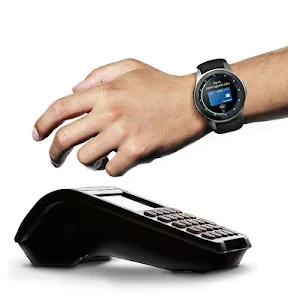
Your Smartwatch as a Digital Wallet: A Guide to Samsung Wallet/Pay
Hey there! If you're like me and always on the lookout for ways to make your life a little easier, then you're going to love Samsung Wallet/Pay for your smartwatch. It's like having your own personal payment assistant right on your wrist. Let's dive into the nitty-gritty details of this handy little app.
Convenience at Your Wrist
First things first, let me tell you how incredibly convenient it is to have Samsung Wallet/Pay on your smartwatch. Gone are the days of fumbling through your bag for your wallet or phone at the checkout counter. With just a flick of your wrist, you can pay for your groceries, your morning coffee, or even that impulse buy at your favorite store. It's like magic, and trust me, once you get used to it, there's no going back!
Setting Up is a Breeze
Now, I know what you're thinking. "Is it going to be a hassle to set up?" Fear not, my friend. Samsung has made sure that the setup process is as smooth as butter. All you need is your Samsung smartwatch and a compatible Samsung phone. Just download the Samsung Wallet app on your phone, follow the on-screen instructions to link your cards, and voilà! You're ready to start tapping your way through life.
Security You Can Trust
Okay, so convenience is great, but what about security? I mean, we are talking about your hard-earned money here. Well, Samsung has got you covered. The app uses advanced security measures to protect your information. Every transaction requires you to authenticate with a PIN or biometric verification like fingerprint or iris scan. Plus, the app generates a unique transaction code every time you pay, so your actual card details are never shared with the merchant. It's like having a digital bodyguard for your payments!
More Than Just Payments
But wait, there's more! Samsung Wallet/Pay isn't just about making payments. It's a full-fledged digital wallet that can store your membership cards, boarding passes, and even event tickets. Imagine walking through airport security with just a swipe of your smartwatch. Talk about feeling like a VIP!
Also, the app supports a variety of currencies, making it a great travel companion. Whether you're buying a baguette in Paris or sushi in Tokyo, Samsung Wallet/Pay has got your back.
Final Thoughts
In conclusion, Samsung Wallet/Pay for smartwatches is a game-changer. It's a blend of convenience, security, and versatility that fits right into your modern lifestyle. If you own a Samsung smartwatch, do yourself a favor and give it a try. Your future self will thank you for it!
Remember, this app is all about making your life easier, and who doesn't want that? So go ahead, embrace the future of payments and enjoy the freedom that Samsung Wallet/Pay brings to your wrist.
Pros
- • Seamless integration with Samsung devices.
- • Supports a wide range of payment methods.
- • High security with biometric authentication.
- • Easy to add and manage cards.
- • Quick access from your wrist.
Cons
- • Limited availability outside major regions.
- • Requires Samsung ecosystem to function.
- • Occasional connectivity issues.
- • Limited third-party app integration.
- • Battery drain on prolonged use.
FAQ
What is Samsung Wallet, and how does it work on a Samsung Watch?
Samsung Wallet is a digital wallet application designed to securely store your payment cards, loyalty cards, and more. On a Samsung Watch, the app allows users to make contactless payments and manage their digital cards directly from their wrist. It integrates seamlessly with Samsung Pay, providing a convenient and secure payment experience using NFC technology.
Is Samsung Wallet compatible with all Samsung Watches?
Samsung Wallet is compatible with most Samsung Watches that support Samsung Pay. However, it’s important to check the specific model of your watch to ensure it supports this feature. The compatibility largely depends on both the model and the region, as some models might not have NFC capabilities or Samsung Pay support in certain regions.
How secure is Samsung Wallet on Samsung Watches?
Samsung Wallet employs several security measures to protect your data on Samsung Watches. It uses tokenization, which replaces your card information with unique tokens for transactions, and requires biometric verification, such as a fingerprint or PIN, before making payments. Additionally, Samsung Knox provides an extra layer of security, ensuring your information is protected against unauthorized access.
Can I add multiple cards to Samsung Wallet on my watch?
Yes, you can add multiple credit, debit, and loyalty cards to Samsung Wallet on your Samsung Watch. This feature allows you to choose which card to use for each transaction directly from your watch, offering flexibility and convenience when managing your finances and rewards programs. The app supports a wide range of banks and card providers globally.
What should I do if I lose my Samsung Watch with Samsung Wallet installed?
If you lose your Samsung Watch with Samsung Wallet installed, it’s crucial to act quickly to protect your information. You can use the 'Find My Mobile' feature to remotely lock or erase your watch's data. Additionally, contact your bank immediately to suspend or remove any cards linked to your Samsung Wallet to prevent unauthorized transactions.