
Moises: The Musician's AI App
Music & AudioAI Music Assistant For Musicians And Creators.
Rating
4.6
Installs
10,000,000+
Price
Free
Screenshots
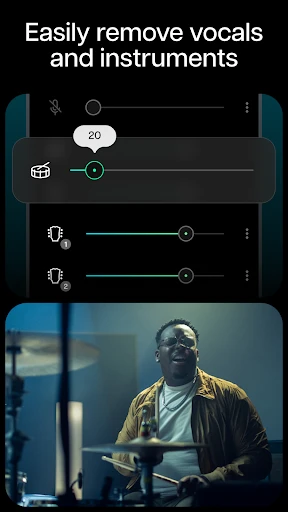
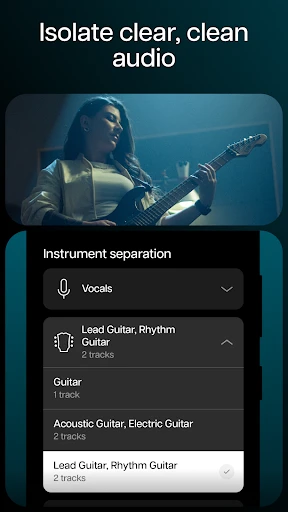
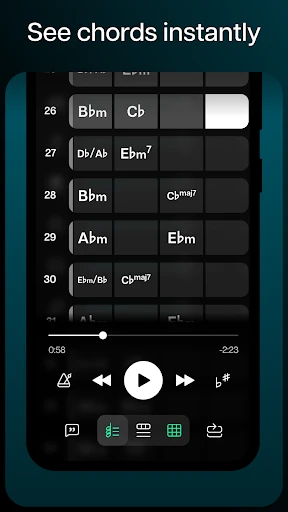
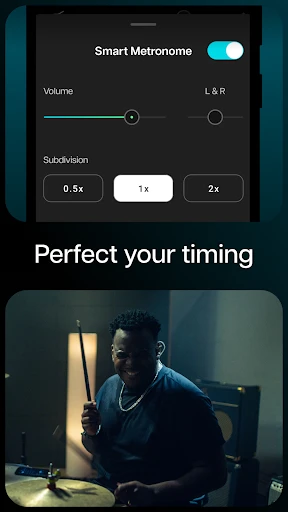
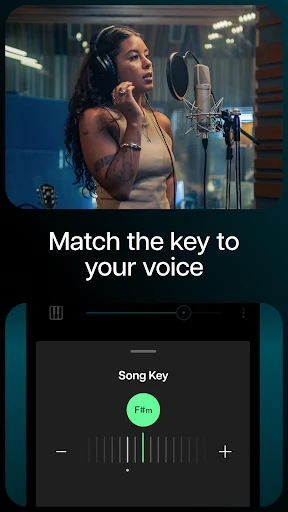
Hey there, fellow music enthusiasts! Today, I'm diving into an app that's been making waves in the musician community – Moises: The Musician's AI. If you've ever dreamt of having a personal music assistant to help you practice, remix, or even compose, then Moises might just be your new best friend. So, grab your headphones, and let's explore what this app has to offer!
Meet Your New AI Bandmate
Moises is way more than your average music app; think of it as having a super-smart musical partner right in your pocket. Built specifically for musicians, it uses some really clever AI to pull apart any song into its separate pieces. You can isolate the vocals, guitar, bass, or drums to focus on exactly what you want to hear. No matter your skill level, this ability is a complete game-changer.
Getting Started is a Breeze
The first thing you'll probably notice is how clean and simple the app is to use. You don't need to be a tech expert to find your way around. Just upload a song from your phone or paste a link, and with a few taps, you can see the song broken down into its main parts. The whole design is focused on making everything smooth and hassle-free for you.
Supercharge Your Practice Sessions
Picture this: you can silence the lead singer and take their place, or zero in on a complicated drum beat to master it. Moises lets you do all that. A particularly awesome feature is being able to slow a track right down or speed it up without making it sound all chipmunk-like or deep. It’s the perfect tool for nailing those difficult parts, like a personal coach that’s available 24/7.
Unleash Your Inner Creator
But it's not just for practice. Moises is a fantastic tool for getting creative. You can remix songs by tweaking the volume of different parts, changing the speed, or even adjusting the pitch to make your own unique versions. This is ideal for DJs or anyone who likes to put their own stamp on the music they love. The AI works hard to keep everything sounding crisp and professional.
Making Music Together, Apart
Moises also shines when it comes to working with others. You can easily share your projects with band members or friends, which is perfect for collaborating on music when you can't be in the same room. This is super helpful nowadays, when so much creative work happens online. It’s basically like having a portable studio for your whole crew.
In conclusion, Moises: The Musician's AI is a must-have tool for anyone serious about music. Its innovative features and user-friendly design make it a standout in the sea of music apps available today. Whether you're practicing, remixing, or collaborating, Moises offers a plethora of features to enhance your musical journey. So, why not give it a try and see what musical magic you can create?
Pros
- • Intuitive interface for easy navigation.
- • High-quality audio separation.
- • Real-time pitch and speed control.
- • Supports multiple audio formats.
- • Cloud storage integration.
Cons
- • Requires premium for full features.
- • Occasional lag in processing.
- • Limited free version capabilities.
- • Internet required for best performance.
- • Ads in free version can be intrusive.
FAQ
What is Moises: The Musician's AI App?
Moises is a cutting-edge AI-powered application designed for musicians and music enthusiasts. It offers a suite of tools that allow users to separate vocals and instruments from any song, change pitch and tempo, and enhance their practice sessions. The app is ideal for those looking to remix tracks, learn music, or just have fun experimenting with their favorite tunes.
How does Moises help in music practice?
Moises assists musicians by providing features that enable them to isolate instruments or vocals, adjust pitch and tempo, and loop specific sections of a track. This functionality is incredibly useful for practice, as it allows musicians to slow down complex parts, focus on particular instruments, or sing along with a karaoke-style backing track. This makes learning and mastering new pieces more efficient and enjoyable.
Is Moises available for both Android and iOS devices?
Yes, Moises is available for download on both Android and iOS platforms. Users can easily find the app on the Google Play Store for Android devices and the Apple App Store for iOS devices. This cross-platform availability ensures that musicians can access Moises' powerful features regardless of their preferred device, making it a versatile tool for music practice and remixing.
Does Moises require a subscription, or is it free to use?
Moises offers both free and premium subscription models. The free version provides basic features like track separation and tempo control, while the premium subscription unlocks advanced features such as unlimited song uploads, higher quality audio processing, and additional tools for an enhanced music experience. Users can choose the plan that best suits their needs and budget.
What types of audio files can Moises process?
Moises supports a variety of audio file formats, including MP3, WAV, and AIFF. This flexibility allows users to work with a wide range of music files, whether they are downloaded tracks, recordings, or other audio materials. The app's ability to handle multiple file types ensures that musicians can seamlessly integrate Moises into their existing music libraries for efficient practice and remixing.