
Listen Audiobook Player
Music & AudioListen Audiobook Player For Book Lovers.
Rating
4.5
Installs
100,000+
Price
$1.99
Screenshots
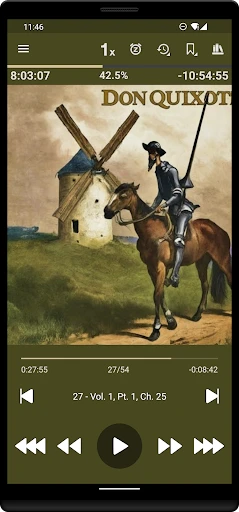
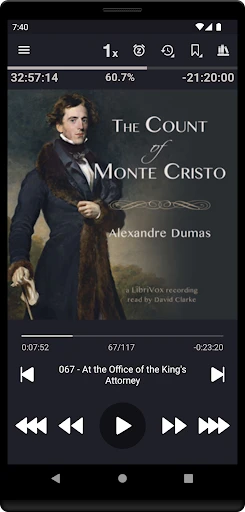
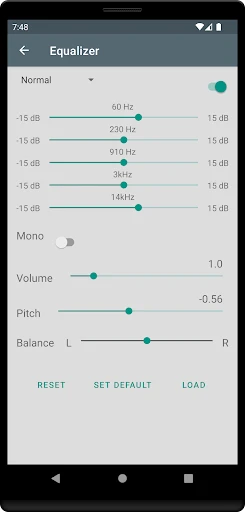
Let's dive into the world of audiobooks with the Listen Audiobook Player
Why This Audiobook App is a Game-Changer
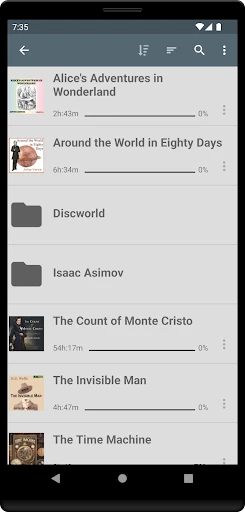
First off, the Listen Audiobook Player isn't your run-of-the-mill audiobook app. What sets it apart is its user-centric design and flexibility. From the moment you open the app, you can tell it’s crafted with audiobook lovers in mind. The interface is clean and intuitive, making it a breeze to navigate through your library of audiobooks.
Features That Make Listening Easy
One of the standout features that I absolutely love is the sleep timer. Let's face it, we've all been there: you start a book, get cozy, and then drift off to sleep. With this app, you can set a timer so it pauses automatically, ensuring you don't miss a single chapter. Plus, it’s customizable, allowing you to set it to your preferred duration.
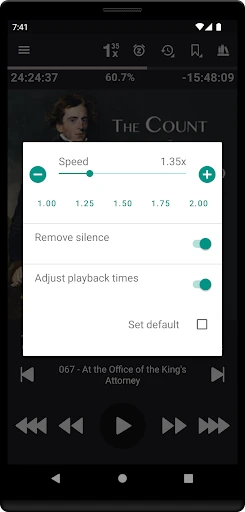
Another feature worth mentioning is the playback speed control. Sometimes narrators speak too slowly or too fast, but Listen Audiobook Player lets you adjust the speed to suit your listening preference. Whether you're a fan of a slow, steady pace or like to speed things up, this app has got you covered.
A Look at the App's Design and Usability
Listen Audiobook Player shines in terms of user experience. It's designed to be straightforward and efficient. The app supports various audio formats, which means you can listen to virtually any audiobook file you have. Plus, organizing your library is a cinch. You can categorize books by genre, author, or even create your own custom tags.
I also appreciate the app’s bookmarking feature, which allows you to mark your favorite parts or sections you want to revisit later. And if you’re a fan of statistics, the app provides insights into your listening habits, so you can see just how many hours you've spent engrossed in different worlds.
Wrapping It Up
In a sea of audiobook players, the Listen Audiobook Player definitely holds its ground. It’s packed with thoughtful features that enhance the listening experience without overwhelming the user. Whether you're a casual listener or a hardcore audiobook fan, this app is sure to make your listening journey a delightful one.
So, if you haven't tried it yet, give Listen Audiobook Player a shot. It's like having a personal library in your pocket, ready to whisk you away on countless adventures whenever you please. Happy listening
Pros
- • User-friendly interface for easy navigation.
- • Supports a wide range of audiobook formats.
- • Customizable playback speed options.
- • Sleep timer to automatically pause playback.
- • Bookmark feature for quick access to sections.
Cons
- • No free trial available for users.
- • Limited customer support options.
- • Requires manual file organization.
- • No built-in audiobook store.
- • Occasional bugs with large files.
FAQ
What is Listen Audiobook Player, and how does it work?
Listen Audiobook Player is a dedicated application for listening to audiobooks on Android devices. It offers a range of features designed to enhance the audiobook listening experience, such as variable playback speed, automatic bookmarking, and sleep timers. Users can easily import their audiobook files into the app, customize playback settings, and enjoy a seamless listening experience with intuitive controls.
Is Listen Audiobook Player available for iOS devices?
No, Listen Audiobook Player is currently only available for Android devices. It is a popular choice among Android users due to its rich feature set and user-friendly interface specifically designed for audiobooks. iOS users will need to look for alternative audiobook players compatible with their devices to enjoy similar functionalities.
Does Listen Audiobook Player support multiple audiobook formats?
Yes, Listen Audiobook Player supports a wide range of audiobook formats, including MP3, M4B, and FLAC, among others. This flexibility allows users to import and play audiobooks from various sources without worrying about compatibility issues. The app ensures smooth playback and allows users to organize their audiobook library efficiently.
Can I customize playback settings in Listen Audiobook Player?
Absolutely, Listen Audiobook Player offers extensive customization options for playback settings. Users can adjust playback speed, set sleep timers, and even enable automatic bookmarking. These features allow listeners to tailor their audiobook experience to their preferences, making it easier to manage long listening sessions or pause and resume audiobooks seamlessly.
Is Listen Audiobook Player a free application?
Listen Audiobook Player is a paid application, offering a one-time purchase option. There is no subscription fee, making it a cost-effective choice for audiobook enthusiasts who prefer a stable and feature-rich player. While there is no free version, the app's robust features and regular updates offer great value for the price.