
FlashGet Kids:parental control
ParentingFlashGet Kids is a parental control app for managing screen time and online safety.
Rating
4.8
Installs
5,000,000+
Price
Free
Screenshots
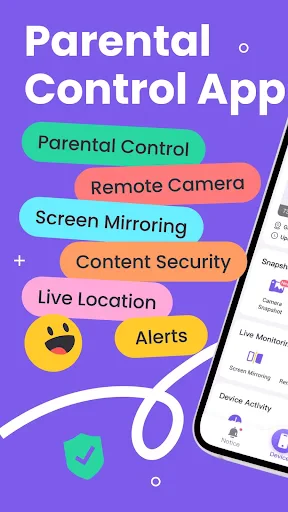
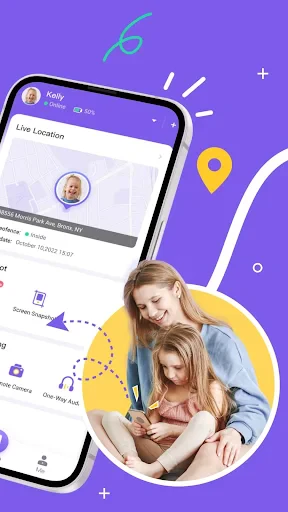
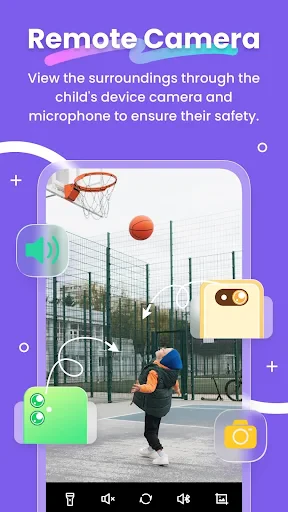
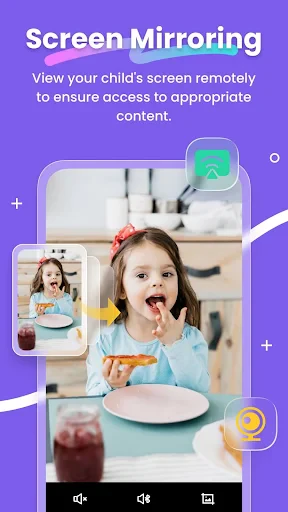
FlashGet Kids: Parental Control
In today's digital world, keeping children safe online is a top concern for moms and dads. That's where FlashGet Kids: Parental Control comes in, acting like a superhero for your family's digital life. This app aims to be the best defender against the unpredictable internet, all while giving kids the space to discover and learn. Let's take a closer look at what sets this application apart.
Getting Started: A Total Breeze!
First off, getting FlashGet Kids up and running is super simple. You definitely don't need to be a tech expert. Just download the app onto your phone and your child’s device, and that's it—you're all set. The straightforward design walks you through the setup, letting you adjust the controls to fit your child's age and what you're comfortable with. No stress, just a few quick taps and you're ready.
Handy Tools That Really Help
Managing Screen Time
If you're constantly battling to get your kids away from their screens, this tool will become your favorite. FlashGet Kids lets you set daily limits for device use and plan break times. Picture enjoying a family meal without a tablet screen lighting up the room!
Controlling App Use
With FlashGet Kids, you get to choose which apps your child can use. Whether it's keeping them off social media or stopping game time during study hours, you can shape their online experience. Say goodbye to secret app installs!
Safe Web Browsing
The internet has both great stuff and not-so-great stuff. The safe browsing feature in FlashGet Kids makes sure your child only sees content that's right for their age. You can even set your own specific filters. It's like having a loyal guard for your family's internet!
Knowing Their Whereabouts and Getting Notifications
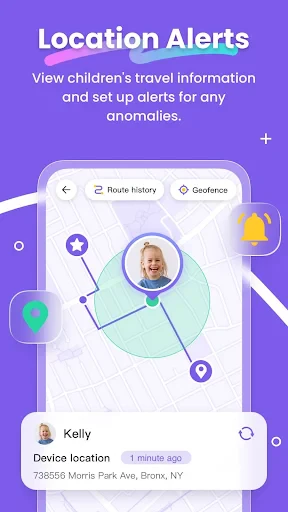
Concerned about where your child is? FlashGet Kids helps with its location feature. You can get messages when your child gets to or leaves a specific spot, like school or a friend's house. It’s like carrying a little peace of mind right in your pocket.
Encouraging Educational Growth
Different from many other monitoring apps, FlashGet Kids promotes learning. It suggests educational videos and activities that match what your child likes and how old they are. It's not only about setting limits but also about helping them learn and develop.
What I Think After Using It
After testing FlashGet Kids thoroughly, I have to say I'm pleased. The app finds a great middle ground between keeping kids secure and giving them independence. The layout is easy to understand, so parents won't get confused, and the tools are thorough without feeling like you're spying.
Of course, nothing is flawless, and some folks might need a little time to learn all the features, but once you do, FlashGet Kids turns into a must-have helper for your family. With frequent improvements and helpful support, it seems the creators are really listening to what users need.
Wrapping Up
In a time when online dangers are everywhere, FlashGet Kids: Parental Control app is a welcome solution for worried parents. It provides a powerful set of features made to protect kids while letting them navigate the online world in a smart way. So, if you're a parent searching for a trustworthy ally for your child's digital life, consider trying FlashGet Kids. It's not just software; it's like a watchful protector for your family.
Pros
- • Easy-to-use interface for parents
- • Customizable screen time limits
- • Real-time location tracking
- • App usage monitoring
- • Content filtering options
Cons
- • Limited features in free version
- • Requires internet connection
- • Drains battery quickly
- • Complex setup for some features
- • No support for multiple devices
FAQ
What is FlashGet Kids and how does it work?
FlashGet Kids is a parental control application designed to help parents manage and monitor their children's digital activities. It provides tools to set screen time limits, block inappropriate content, and track app usage. The app works by installing it on both the parent's and child's devices, allowing parents to configure settings and receive activity reports through a user-friendly interface.
Can FlashGet Kids block specific websites or apps?
Yes, FlashGet Kids allows parents to block specific websites and apps that they consider inappropriate or distracting for their children. The app provides customizable filters and the ability to add specific URLs or app names to the block list, ensuring that children only access safe and educational content. This feature helps parents maintain control over their children's digital environment.
Is FlashGet Kids easy to set up and use for non-tech-savvy parents?
FlashGet Kids is designed with simplicity in mind, making it accessible even for non-tech-savvy parents. The installation process is straightforward, with a step-by-step guide to help parents set up the app on both their own and their child's devices. The user interface is intuitive, allowing parents to easily navigate through settings and manage their child's online experience with minimal technical knowledge.
Does FlashGet Kids offer any reporting or monitoring features?
Yes, FlashGet Kids provides comprehensive reporting and monitoring features that allow parents to keep track of their child's digital activities. The app generates detailed reports on screen time usage, websites visited, and apps used, helping parents understand their child's online behavior. These insights enable parents to make informed decisions about setting appropriate boundaries and ensuring a balanced digital lifestyle for their children.
Is FlashGet Kids compatible with both Android and iOS devices?
FlashGet Kids is compatible with both Android and iOS devices, ensuring broad accessibility for families using different types of smartphones and tablets. The app supports a wide range of devices, making it easy for parents to implement consistent parental controls across multiple platforms. This cross-platform compatibility ensures that all children in the family can benefit from the app's protective features, regardless of the device they use.