
Launcher iOS16 - iLauncher
PersonalizationiOS Launcher Customize Android Phone Home.
Rating
4.3
Installs
10,000,000+
Price
Free
Screenshots
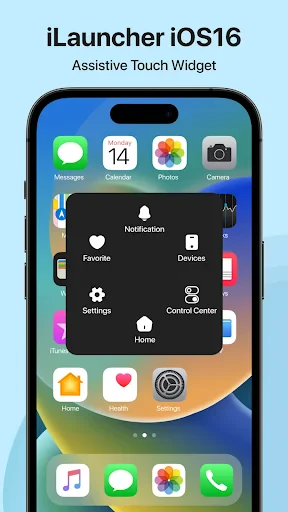
Transform Your Android into an iPhone with Launcher iOS16
Have you ever wanted your Android phone to look and feel just like an iPhone? With Launcher iOS16 - iLauncher, that idea is totally doable. This app is built to give your Android's interface a complete makeover, mirroring the newest iOS16 style. You get a fresh, Apple-like experience without ever having to buy a new device. Let's check it out!
A Brand New Look for Your Android
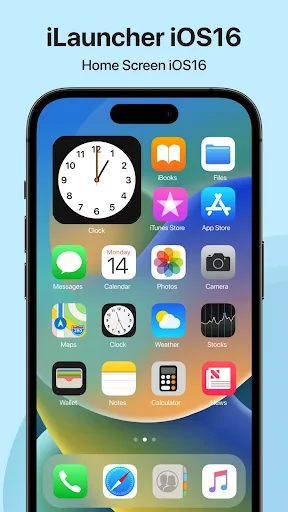
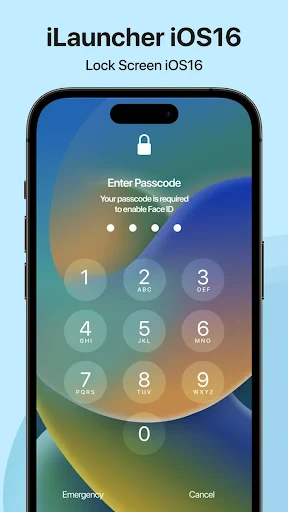
The moment you start using Launcher iOS16 - iLauncher, you'll notice how much it looks like Apple's iOS16. The creators did an amazing job copying the iOS vibe, from the sharp app icons to the smooth movements. It honestly feels like you've swapped your Android for the latest iPhone, but without spending a fortune.
Make It Truly Yours
What really sets this launcher apart is how much you can change. You can adjust almost anything to match your taste. Whether you're swapping out app icons, picking a new wallpaper, or rearranging the home screen layout, you're in control. The interface is easy to understand, and the settings are simple, so anyone can jump in and personalize their phone without any hassle.
Loaded with Useful Features
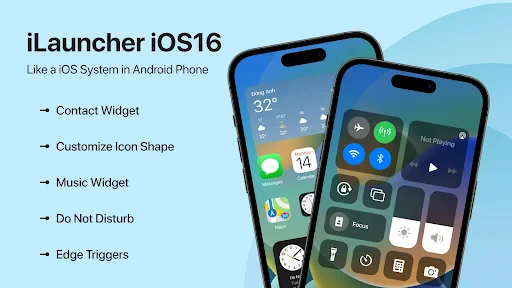
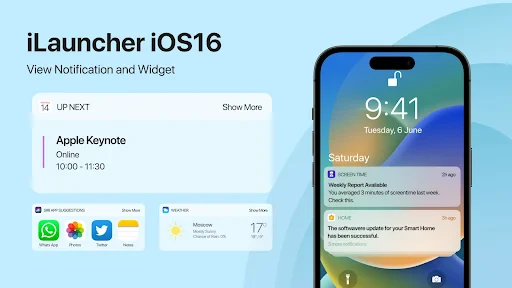
This app goes way beyond just looking good. It brings over a bunch of iOS-style functions. There's a Control Center that you can swipe to open, plus customizable widgets that add to what your phone can do. Everything is designed to work together smoothly. It even includes a smart search and an app library, making it not just a visual improvement but a practical one, too.
On top of that, Launcher iOS16 - iLauncher is built to run well. It works smoothly without making your phone feel slow or draining the battery too fast, which is great news if you're worried about performance. All the animations are fluid, and the system responds quickly to your taps and swipes.
Wrapping Up
To sum it up, if you're an Android user who's curious about the iOS experience, Launcher iOS16 - iLauncher is a brilliant option. It mixes style and usefulness perfectly, letting you enjoy the highlights from both operating systems. It might not be an exact copy of iOS, but it gets surprisingly close and is much easier on your wallet.
So, why not try it out? It's like getting an iPhone experience while staying in the Android world, and that's pretty cool
Pros
- • Smooth iOS-like interface
- • Customizable themes and icons
- • Fast and responsive
- • Easy to navigate
- • Regular updates
Cons
- • Ads in free version
- • Limited free features
- • Requires more permissions
- • Occasional lag on older devices
- • Not all features work on every device
FAQ
What is Launcher iOS16 - iLauncher and what features does it offer?
Launcher iOS16 - iLauncher is an Android application designed to give your device the look and feel of an iOS 16 interface. It offers features such as customizable home screens, app icons, widgets, and a control center similar to that found on iOS devices. Users can enjoy a sleek design, smooth transitions, and an intuitive interface that mimics the latest iOS experience, making it ideal for those who prefer Apple's aesthetic but use Android devices.
Is Launcher iOS16 - iLauncher free to use, or are there any in-app purchases?
Launcher iOS16 - iLauncher is free to download and use, offering a range of basic features accessible without cost. However, it includes in-app purchases that provide additional customization options, premium themes, and advanced features. These purchases are optional, allowing users to enhance their experience according to their preferences and budget.
Will Launcher iOS16 - iLauncher affect my device's performance or battery life?
While Launcher iOS16 - iLauncher is designed to be efficient, any launcher can potentially impact your device's performance and battery life. Users may notice slight changes depending on their device's capacity and the extent of use of customization features. It's advisable to monitor your device's performance after installation and make adjustments in the app's settings to optimize battery usage.
How can I install and set up Launcher iOS16 - iLauncher on my Android device?
Installing Launcher iOS16 - iLauncher is straightforward. Users can download the app from the Google Play Store. Once installed, open the app and follow the on-screen instructions to set it as your default launcher. You'll be prompted to allow various permissions necessary for the app to function correctly. Customize your home screen and settings according to your preferences to fully enjoy the iOS-like experience.
Is Launcher iOS16 - iLauncher safe to use, and how does it handle my personal data?
Launcher iOS16 - iLauncher is generally considered safe to use as it is available on the Google Play Store, which vets apps for security. The app requires certain permissions to provide its features but does not collect personal data outside of what's necessary for its functionality. Users should review the app's privacy policy to understand how their data is handled and ensure they are comfortable with the terms.