
Popsa | Print Your Photos
PhotographyCreate Personalized Photo Books Effortlessly.
Rating
4.7
Installs
1,000,000+
Price
Free
Screenshots
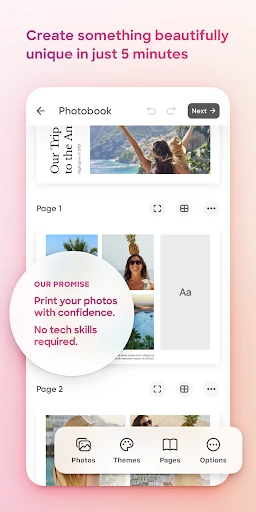
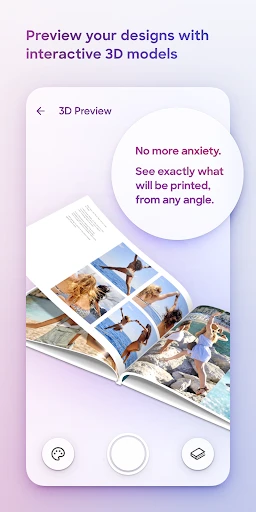
Turn Your Digital Memories into Physical Treasures with Popsa
Getting the Popsa App on Your Phone
First off, grabbing Popsa is super simple. It's waiting for you in both the Android and iOS app stores. Just tap download, and you're pretty much set. Once it's installed on your phone, you'll find the layout is straightforward and easy to use. Honestly, it's so simple that just about anyone could figure it out in no time!
How to Make Your Own Photobook
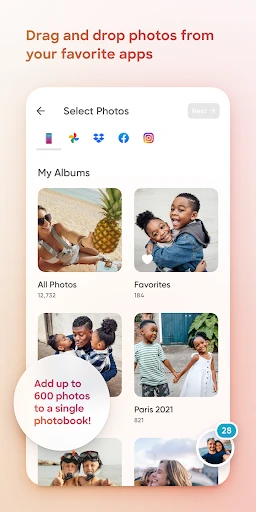
The coolest part is when you begin making your photobook. With only a few taps, you can pull pictures straight from your phone's gallery, Instagram, Facebook, or even Google Photos. I was really surprised by how smoothly Popsa connects with all these different places. You can skip the hassle of moving photos to your computer first!
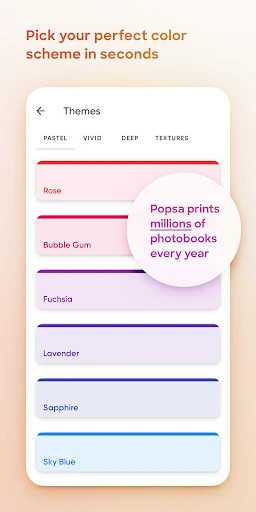
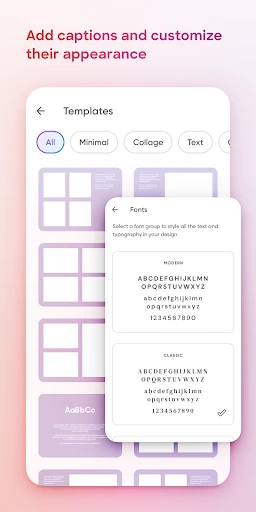
Now, about making it your own. Popsa has loads of different styles and page designs. Whether you like a clean, simple look or something bright and bold, there's a template that'll work for you. And the best thing? You don't need to be a design expert to create a beautiful photobook. Just drag your photos around, drop them in place, and have fun with it.
What to Expect with Print Quality and Shipping
After you've got your creation just right, go ahead and place your order. I have to admit, I was a little doubtful about the quality at first, but I was totally mistaken! The final prints are crisp, the colors are rich, and they use this high-quality paper that feels really nice. Popsa also has different sizes available, so you can get a small pocket book or a bigger one for your coffee table.
The shipping is pretty quick, too. For me, it showed up in about a week. That's pretty good, especially since it came from another country. Popsa sends you tracking updates so you always know where your order is and when it's going to arrive.
Wrapping Up the Popsa Experience
So, to sum it all up, Popsa is a brilliant app for anyone who wants to turn their digital pictures into something you can hold. It's really easy to use, gives you plenty of ways to personalize your projects, and the quality of the prints is excellent. Yes, there are other apps that print photos, but Popsa's combination of simplicity and great results makes it a real winner in my opinion. If your camera roll is packed with memories that are just waiting to be printed, you should definitely test out Popsa. You'll be glad you did
Pros
- • Easy-to-use interface for quick photo book creation.
- • Wide variety of templates to choose from.
- • Integration with multiple photo sources.
- • High-quality print and paper options.
- • Fast delivery and good customer service.
Cons
- • Limited editing features for photo customization.
- • Slightly higher price compared to competitors.
- • App may occasionally lag or crash.
- • Shipping costs can be expensive.
- • No option for digital photo book downloads.
FAQ
What is Popsa and what can I do with it?
Popsa is a user-friendly app that allows you to create personalized photo books, prints, and other photo-based products directly from your mobile device. The app offers various templates and customization options, making it easy to design professional-looking photo books with your favorite memories. Additionally, Popsa provides a seamless experience from creation to delivery, ensuring that your printed photos arrive at your doorstep in high quality.
How easy is it to use Popsa for creating photo books?
Popsa is designed with simplicity in mind, allowing users of all skill levels to effortlessly create photo books. The app features an intuitive interface where you can select photos, choose layouts, and customize your book with text and embellishments. Popsa's smart design tools, such as auto-fill and layout suggestions, further streamline the process, making it quick and convenient to produce stunning photo books.
What customization options are available in Popsa?
Popsa offers a variety of customization options to personalize your photo projects. Users can choose from different book sizes, cover types, and paper finishes. The app also provides a selection of themes, layouts, and design elements to enhance your photos. Additionally, you can add text, stickers, and backgrounds to make your photo book truly unique. These features allow for a tailored experience, ensuring your project reflects your personal style.
Can I use Popsa on both Android and iOS devices?
Yes, Popsa is available for both Android and iOS devices, making it accessible to a wide range of users. The app can be downloaded from the Google Play Store for Android users and the Apple App Store for iOS users. This cross-platform availability ensures that you can create and order photo products regardless of your preferred mobile operating system, providing flexibility and convenience for all users.
What are the delivery options and timeframes for Popsa orders?
Popsa offers various delivery options to cater to different needs and preferences. Standard delivery typically takes 3-7 business days, while expedited shipping options are available for faster delivery. The app provides tracking information once your order is dispatched, allowing you to monitor its progress. Popsa ships internationally, ensuring that you can receive your beautifully printed photo books and products no matter where you are in the world.