
Baby Month Photo Editor Frame
PhotographyBaby Photo Growth Tracker For New Parents.
Rating
4.7
Installs
500,000+
Price
Free
Screenshots
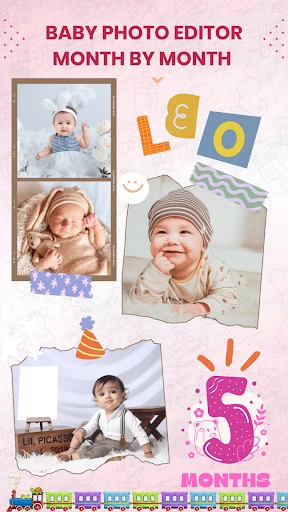
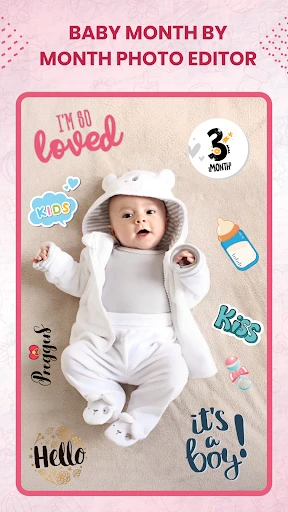
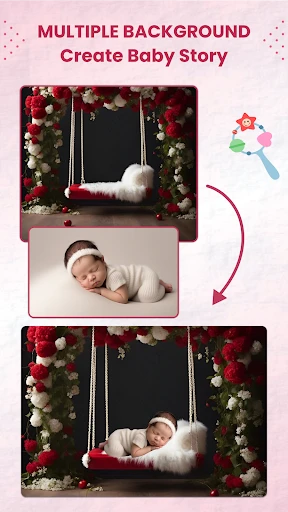
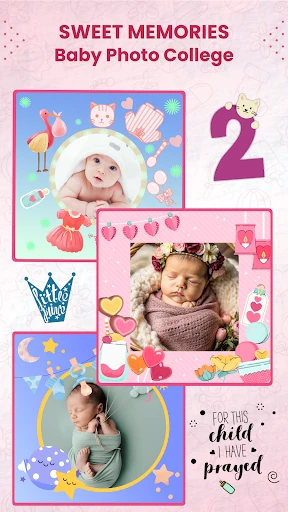
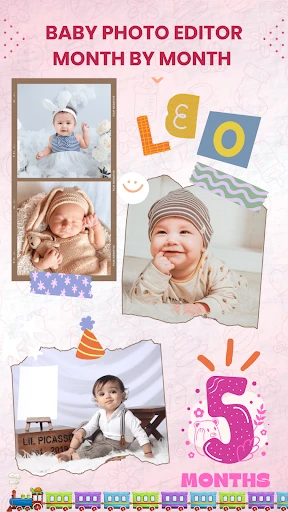
Capture and Celebrate Your Baby's Growth with the Baby Month Photo Editor Frame App
If you're anything like me, you know the joy and chaos that comes with trying to document every precious moment of your little one's life. That's where the Baby Month Photo Editor Frame app steps in to save the day. This app is a game-changer for parents wanting to capture their baby's monthly milestones in a fun and creative way.
A Breeze to Navigate
One of the first things I noticed about the Baby Month Photo Editor Frame app is its incredibly user-friendly interface. As soon as you open it, you're greeted with a clean and straightforward layout that makes navigating through the app as easy as pie. Whether you're tech-savvy or not, you'll find it super intuitive. All the main features are just a tap away, which is perfect when you're juggling a million things at once, like every parent does.
Loads of Fun Decorations
The app offers a plethora of adorable frames and stickers to choose from, which are perfect for embellishing your baby's photos. I was particularly impressed by the variety of monthly milestone frames, each one cuter than the last. You can easily personalize your photos with text options, decorate them with themed stickers, or even add playful filters that make your photos pop. It's like having a mini graphic design studio right in your pocket!
One feature that I found particularly delightful was the ability to create a timeline of your baby's growth. You can organize photos by month, ensuring you have a comprehensive visual diary of your baby's first year. It's a lovely way to watch your little one grow and change over time, and it makes sharing those moments with friends and family a breeze.
Show Off Your Masterpieces
Once you've crafted the perfect photo, sharing it is as simple as pressing a button. The app integrates seamlessly with social media platforms like Instagram and Facebook, allowing you to show off your creations to your friends and family without any hassle. Plus, you can save the photos to your gallery in high resolution, ensuring that those precious memories are preserved in the best quality possible.
For those who prefer a more tangible keepsake, the app also provides options to print your photos directly from your device. This makes it easy to create photo books or print out framed pictures for the nursery.
Why You'll Love This App
In a world where time flies by at the speed of light, the Baby Month Photo Editor Frame app is an essential tool for any parent looking to capture and celebrate their baby's growth. It's packed with features that are both practical and fun, and its ease of use means you'll spend less time fiddling with your phone and more time enjoying those precious moments with your baby. So, if you're looking for a simple and delightful way to document your baby's first year, give this app a try – you won't be disappointed!
Pros
- • User-friendly interface for quick edits
- • Wide variety of adorable frames
- • Easy sharing options
- • Supports high-resolution images
- • Frequent updates with new features
Cons
- • Advertisements can be intrusive
- • Limited free features available
- • Occasional app crashes reported
- • Some frames require in-app purchases
- • Lacks advanced editing tools
FAQ
What is Baby Month Photo Editor Frame and how does it work?
Baby Month Photo Editor Frame is a mobile application designed to help parents capture and preserve special moments of their babies as they grow. The app provides a wide range of adorable frames, stickers, and editing tools that allow users to create beautifully designed photo collages for each month of their baby's first year. With a user-friendly interface, parents can easily select a photo, choose a frame, and add personalized text to celebrate milestones and share precious memories with family and friends.
Is Baby Month Photo Editor Frame free to use?
Yes, Baby Month Photo Editor Frame is free to download and use. However, the app may offer in-app purchases for additional features, frames, and stickers that are not included in the basic version. Users can enjoy the core functionalities without any cost, but unlocking premium content might require a one-time payment or subscription, depending on the app's offerings.
Can I use Baby Month Photo Editor Frame offline?
Baby Month Photo Editor Frame can be used offline for basic editing features, such as applying frames, stickers, and text to your photos. However, some advanced features and additional content might require an internet connection to download or access. It's advisable to have an active internet connection for the best experience and to access any updates or new content the app may offer.
Is Baby Month Photo Editor Frame available for both Android and iOS devices?
Yes, Baby Month Photo Editor Frame is available for both Android and iOS devices. Users can download the app from the Google Play Store for Android devices and the Apple App Store for iOS devices. The application is designed to run smoothly on both platforms, ensuring a seamless user experience regardless of the device being used.
How can I share my edited photos from Baby Month Photo Editor Frame?
Sharing your edited photos from Baby Month Photo Editor Frame is simple and convenient. After editing, users can save the photos to their device's gallery. From there, they can share the images directly through various platforms such as social media channels like Facebook, Instagram, or messaging apps like WhatsApp. The app may also offer direct sharing options to streamline the process, making it easy to share your baby's precious moments with friends and family.