
Microsoft Word: Edit Documents
ProductivityMicrosoft Word Official Mobile Document Editor App.
Rating
4.8
Installs
1,000,000,000+
Price
Free
Screenshots
Microsoft Word: Edit Documents
Microsoft Word: Edit Documents
In today's fast-paced digital world, having a reliable word processing app on your mobile device is a must. Whether you’re jotting down quick notes, drafting emails, or working on a full-fledged report, Microsoft Word: Edit Documents has got you covered. Let me walk you through my experience with this app, and why I think it might just become your go-to tool for all things word-related.
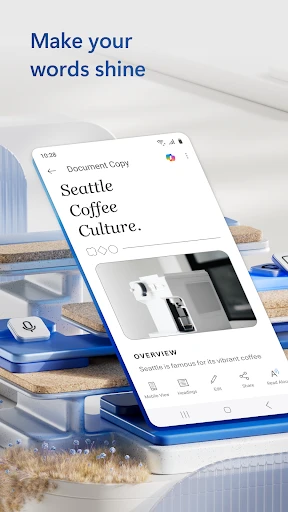
Upon downloading and opening Microsoft Word on my phone, I was immediately greeted with a clean and intuitive interface. The familiar blue and white color scheme gave me a sense of comfort, reminding me of the desktop version I've used for years. The app is surprisingly lightweight, making it quick to load and easy to navigate, which is a huge plus when you're on the go.
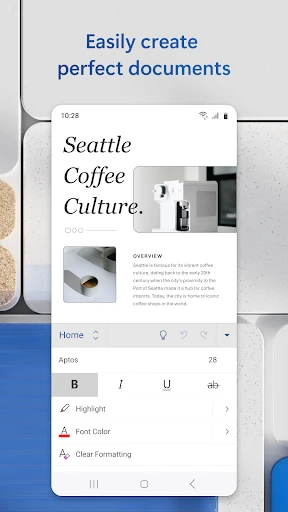
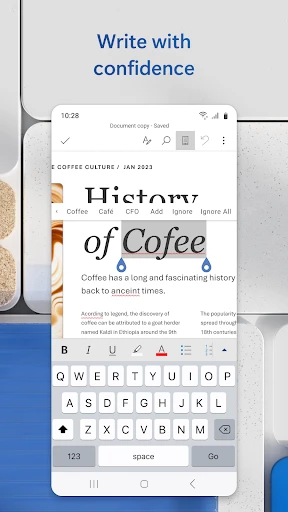
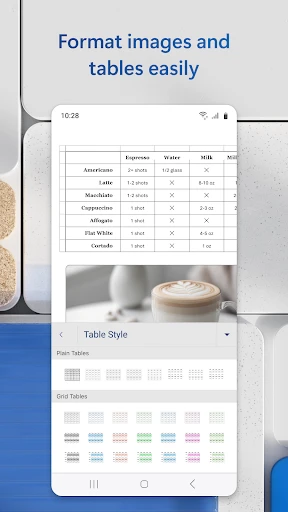
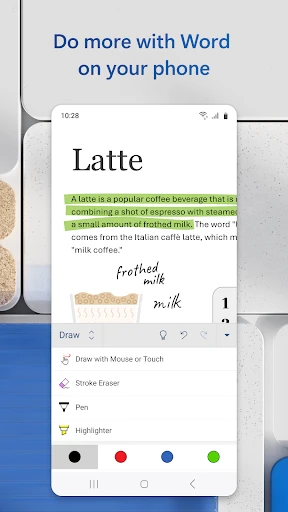
One of the standout features of Microsoft Word on mobile is its seamless editing capabilities. Whether you’re working from scratch or tweaking an existing document, the app offers a robust set of tools. I found the touch controls surprisingly accurate, allowing me to select, cut, copy, and paste text with ease. Plus, the formatting options are extensive. From changing fonts and sizes to inserting bullet points and tables, the app mirrors the desktop experience closely.
If you’re someone who frequently switches between devices, you’ll love the cloud integration feature. Microsoft Word syncs effortlessly with OneDrive, ensuring your documents are always up to date no matter where you access them from. I tested this by editing a document on my phone and then opening it on my laptop – the changes were instantaneously reflected. This feature is a game-changer for productivity, especially for those who work remotely or travel frequently.
Another impressive aspect of the app is its collaboration functionality. You can easily share documents with colleagues or friends, and the real-time co-authoring feature means you can work together even when you’re miles apart. I found this particularly useful when editing a group project; being able to see my collaborator's changes in real-time saved us countless back-and-forth emails.
For those moments when you’re off the grid, Microsoft Word still has your back. The app allows you to access and edit documents offline, which is perfect for those long flights or when you’re in an area with poor internet connectivity. Once you’re back online, your edits will sync seamlessly. It’s little touches like this that make the app a reliable companion.
No app is perfect, and while Microsoft Word is incredibly powerful, there are a few quirks. Occasionally, I noticed minor lags when loading very large documents, which could be a bit frustrating. Also, while the app is free to download, some advanced features require an Office 365 subscription. However, for basic editing needs, the free version is more than sufficient.
Overall, Microsoft Word: Edit Documents is a stellar app for anyone needing a reliable word processor on the go. Its seamless integration with the cloud, robust editing tools, and collaboration features make it a top choice for both professional and personal use. While there are minor drawbacks, they are easily overshadowed by the app’s functionality and ease of use. If you haven't tried it yet, I highly recommend giving it a shot. You might just find it becoming an indispensable part of your daily routine.
Pros
- • Seamless cross-device synchronization
- • Robust editing tools
- • Supports multiple file formats
- • Real-time collaboration
- • Extensive template selection
Cons
- • Requires Microsoft account
- • Subscription needed for premium features
- • Occasional lag on mobile devices
- • Limited offline functionality
- • Complex interface for beginners
FAQ
What are the main features of Microsoft Word: Edit Documents app?
Microsoft Word: Edit Documents app offers a wide range of features including the ability to create, edit, and share documents on the go. Users can collaborate in real-time with others, use various formatting tools, insert images and tables, and access templates for resumes, reports, and other documents. Integration with cloud services like OneDrive ensures your documents are accessible from any device.
Is Microsoft Word: Edit Documents app free to use?
The Microsoft Word: Edit Documents app is available for free download on both Android and iOS devices. While basic document creation and editing features are available for free, users can unlock advanced features and tools by subscribing to Microsoft 365. This subscription provides access to premium templates, formatting options, and additional cloud storage.
Can I use Microsoft Word: Edit Documents app offline?
Yes, you can use Microsoft Word: Edit Documents app offline. Users can create and edit documents without an internet connection. However, to access cloud-stored documents or to utilize collaborative features, an internet connection is required. Once you're back online, any changes made offline will sync automatically to the cloud.
How secure is my data on Microsoft Word: Edit Documents app?
Microsoft Word: Edit Documents app ensures high-level security for your data. It uses encryption to protect your documents and provides options for setting passwords to restrict access. Additionally, if you store your documents on OneDrive, Microsoft's cloud storage, your files are protected by their robust security infrastructure, offering peace of mind for sensitive information.
Does Microsoft Word: Edit Documents support collaboration with others?
Yes, Microsoft Word: Edit Documents supports real-time collaboration with others. Users can share documents with colleagues or friends, allowing multiple people to edit the same document simultaneously. The app provides tools for tracking changes, adding comments, and resolving edits, making it ideal for team projects and collaborative work environments.