
Grammarly-AI Writing Assistant
ProductivityWrite Perfectly Anywhere For Everyone.
Rating
4.0
Installs
50,000,000+
Price
Free
Screenshots
My Experience with Grammarly's AI Writing Assistant
If you've ever been stuck staring at a blank page, not knowing what to write, then Grammarly's AI Writing Assistant is like having a helpful editor right there with you. This clever app is your secret weapon for creating clean, error-free text, whether you're working on an important email, a school paper, or just a social media update. Here’s a look at what I thought after using it.
Getting the App Up and Running
Getting Grammarly set up is super simple. You can grab it right from your phone's app store, and it works on both Android and iPhone. After you install it, making an account is quick—you can use your email or just sign in with your Google or Facebook profile. The free version catches basic spelling and grammar slip-ups, but if you want more detailed advice, the premium version has you covered.
Standout Tools and Functions
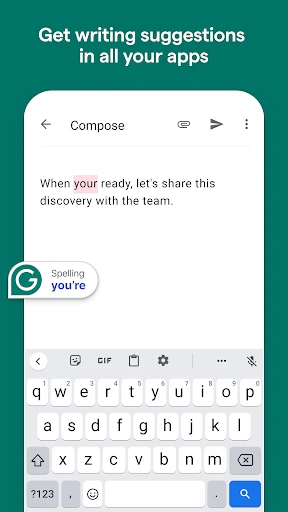
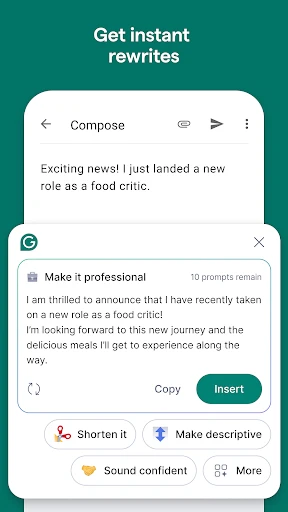
Grammarly's design is clean and really easy to use. The app checks your writing for grammar problems, misspelled words, and even spots sentences that feel a bit off. My favorite part is the instant feedback. While you're typing, Grammarly highlights possible mistakes and gives you tips to make your writing better. It feels like having a language expert guiding you along.
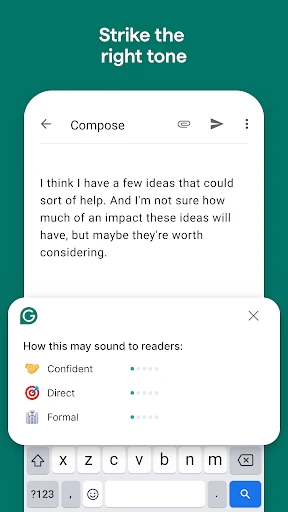
For anyone who writes for work or school, the tone detector is a real lifesaver. It reads your text and helps you adjust it to sound just right, whether you need to be professional, friendly, or something in the middle. This one feature has definitely stopped me from sending emails that were a little too relaxed for the situation.
Working With Your Other Apps
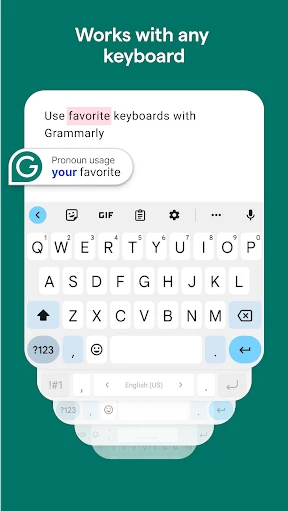
A seriously great thing about Grammarly is how it fits right into the other apps you use every day. It connects seamlessly with things like Gmail, Slack, and even your internet browser through special extensions. This means you can make sure everything you write is sharp and clear, no matter which app you're typing in. It's basically a universal spell-check for all your messages.
A Few Things to Keep in Mind
As awesome as Grammarly is, it does have its little quirks. Sometimes it can be a bit too eager, recommending fixes that don't quite make sense for what you're trying to say. It's good to remember that even though the AI is clever, it's not always right. I make it a habit to quickly read through my text to double-check that the changes sound like me.
Also, the premium version, while full of useful extras, might be a bit expensive for someone who only writes now and then. But if you find yourself writing often, it's probably a smart purchase.
Wrapping It All Up
All in all, Grammarly's AI Writing Assistant is a tool that anyone who cares about good writing should try. It's like having your own personal editor available anytime, day or night. Whether you're a student, a professional, or just someone wanting to write a bit better, Grammarly can really help you up your game. Give it a shot and see the difference it makes
Pros
- • Enhances writing clarity effectively.
- • Integrates seamlessly with browsers.
- • Supports multiple document types.
- • Offers real-time grammar checking.
- • Provides style improvement suggestions.
Cons
- • Premium version is costly.
- • Requires internet for full features.
- • Can be overly prescriptive.
- • Free version is limited.
- • Occasional inaccuracies in suggestions.
FAQ
What is Grammarly and how does it enhance writing?
Grammarly is a digital writing assistant that uses AI to help users improve their writing. It offers real-time grammar, spelling, punctuation, and style suggestions. Beyond basic corrections, Grammarly provides insights into tone, clarity, and engagement, making it an essential tool for anyone looking to produce polished and professional content. It's available as a browser extension, desktop app, and mobile app.
Is Grammarly suitable for professional use and academic writing?
Yes, Grammarly is highly suitable for both professional and academic writing. It offers advanced features like plagiarism detection, vocabulary enhancement, and style-checking, which are crucial for maintaining the integrity and quality of documents. Whether you're drafting a business proposal or a research paper, Grammarly ensures adherence to high writing standards, making it a valuable tool for professionals and students alike.
Does Grammarly work offline or is an internet connection required?
Grammarly primarily functions online, requiring an internet connection to access its full range of features. Its AI-driven suggestions are processed on their servers, ensuring accuracy and efficiency. However, Grammarly's desktop app offers limited offline capabilities, allowing users to write and save documents without corrections until they reconnect to the internet.
How does Grammarly handle user privacy and data security?
Grammarly is committed to protecting user privacy and data security. It uses encryption and strict privacy policies to safeguard user information. The company does not sell user data and only accesses information necessary to provide its writing suggestions. Users can rest assured that their documents and personal data remain confidential and secure when using Grammarly.
What are the subscription options and cost for Grammarly?
Grammarly offers both free and premium subscription options. The free version provides basic writing corrections, while the premium version unlocks advanced features such as style improvements, vocabulary suggestions, and plagiarism detection. Subscription plans are available on a monthly, quarterly, or annual basis, with discounts offered for longer commitments. Pricing details can be found on Grammarly's official website.