
Cryptomator
ProductivitySecure Cloud Files With Client Side Encryption.
Rating
3.8
Installs
10,000+
Price
$9.99
Screenshots
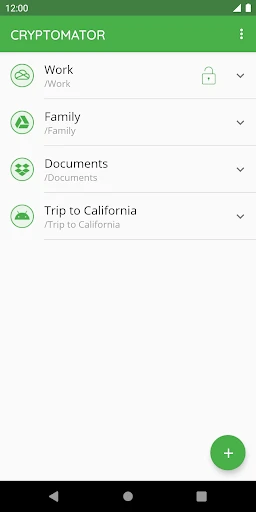
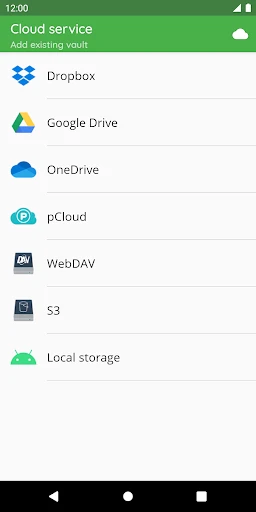
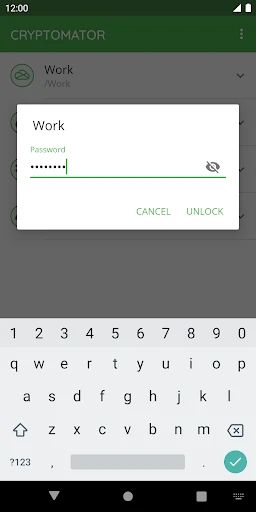
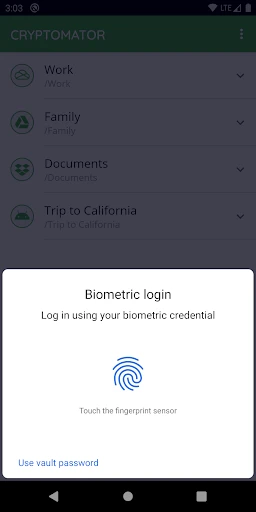
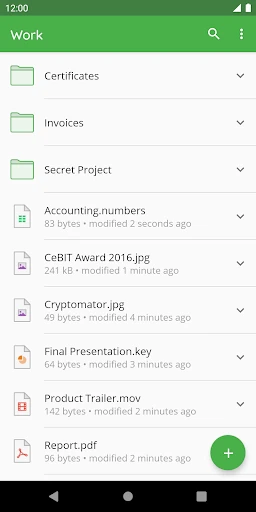
Your Personal Lock and Key for Digital Secrets: A Look at Cryptomator
Ever felt like your cloud storage is a bit like leaving your diary open on a public bench? Well, that’s where Cryptomator steps in, acting as your personal lock and key for your digital secrets. Let’s dive into why this app might just be the guardian angel your files have been waiting for.
So, what’s the deal with Cryptomator? It’s an open-source software that encrypts your files before they even hit the cloud. Think of it as a digital safe that only you have the combination to. What’s cool is that it’s designed to work seamlessly with any cloud service, whether you’re team Google Drive, Dropbox, or OneDrive. The best part? It’s super user-friendly, so you don’t need a PhD in computer science to get started.
Getting started with Cryptomator is a total breeze. After you download the app, your first step is to create a vault – think of it as a secure folder for your stuff. You pick a password, and just like that, you're all set. You simply drag your files into the vault, and the app handles all the encryption stuff automatically. The layout is so simple and clear that even if you're not super tech-savvy, you'll get the hang of it instantly.
Now, onto the really important part: how safe your stuff is. Cryptomator uses something called AES encryption, which is basically the top-tier standard for locking down data. Your files get scrambled right on your own device before they're sent to the cloud. So, if a hacker ever got into your cloud account, all they would see is a mess of encrypted nonsense. It’s like giving a burglar a solid steel safe without the combination – they're not getting in.
What really helps Cryptomator stand out from the crowd is its open and honest nature. Because the code is open-source, experts from all over can check it for weaknesses, which means a whole community is helping to keep it secure. Another huge plus is the pricing; it's a one-time payment with no sneaky monthly subscriptions. In a time when everything seems to have a recurring fee, that’s a really nice change.
Even though its main job is security, Cryptomator doesn't forget about the little things that make it easy to use. It works across all your devices, so whether you're on a phone, tablet, or computer, your protected files are always with you. And for those who appreciate a nice look, it even offers a dark mode. Who doesn’t love an app that’s both secure and easy on the eyes?
All in all, Cryptomator is a stellar choice for anyone looking to add an extra layer of security to their cloud storage. It’s simple, effective, and doesn’t break the bank. If you’re tired of worrying about who might be snooping through your digital life, it’s time to give Cryptomator a whirl. Your files deserve the best protection, and honestly, peace of mind never felt so good.
Pros
- • Open-source encryption ensures security.
- • User-friendly interface for easy navigation.
- • Compatible with major cloud services.
- • No account registration needed.
- • Cross-platform availability.
Cons
- • No mobile offline access to files.
- • Limited advanced settings for tech users.
- • Relies on third-party cloud storage.
- • Occasional sync issues reported.
- • No file sharing directly from app.
FAQ
What is Cryptomator and how does it work?
Cryptomator is a security-focused application designed to encrypt your files before uploading them to cloud storage services such as Google Drive, Dropbox, or OneDrive. It works by creating a virtual drive on your device where you can place files that will be automatically encrypted. This ensures that only you have access to the content, protecting your data from unauthorized access even if the cloud storage service is compromised.
Is Cryptomator free to use, and are there any premium features?
Cryptomator is open-source and free to use. It offers all basic functionalities without any cost, making it an attractive option for users seeking to secure their files. However, there might be optional premium features available in the form of additional plugins or services, which can enhance the core functionality for users who require advanced options.
Can I use Cryptomator on multiple devices?
Yes, Cryptomator is designed to be cross-platform and can be used on multiple devices, including Windows, macOS, Linux, Android, and iOS. You can access your encrypted vaults from any device as long as you have the application installed and the necessary access credentials. This flexibility makes it convenient for users who work across different devices.
How secure is Cryptomator for protecting my sensitive data?
Cryptomator employs strong encryption standards, specifically AES (Advanced Encryption Standard) with 256-bit keys, to ensure your data is securely protected. The software is also open-source, which means its code is publicly available for scrutiny by security experts, adding an additional layer of trust. This transparency helps in identifying any vulnerabilities swiftly, ensuring robust security for your files.
What happens if I forget my Cryptomator password?
If you forget your Cryptomator password, you will lose access to your encrypted files. Cryptomator does not store your password or have any backdoor access to retrieve it due to its strict security and privacy measures. It is crucial to remember your password or store it securely using a password manager to avoid losing access to your data permanently.