
SHAREit: Transfer, Share Files
ToolsFast File Sharing For Everyone Everywhere.
Rating
4.3
Installs
1,000,000,000+
Price
Free
Screenshots

SHAREit: A User's Honest Look at the Popular File-Sharing App
Have you ever found yourself in a situation where you need to transfer files between devices, but the size of the files or the lack of a stable internet connection makes it a hurdle? Well, let me introduce you to SHAREit, an app that claims to solve all your file-sharing problems without any fuss. I’ve had the chance to explore this app, and here’s my take on it.
Effortless File Sharing
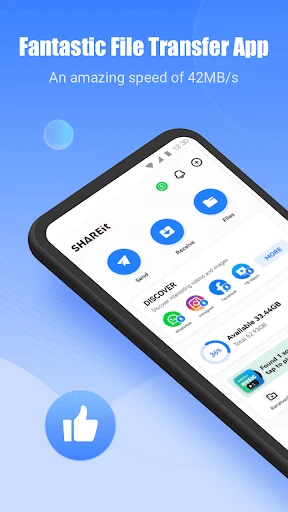
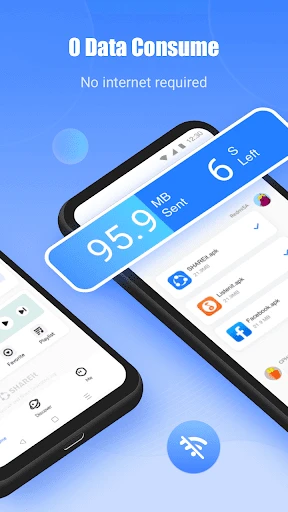
SHAREit is built to make moving files between your gadgets incredibly simple. Whether you're sending pictures, movies, songs, or even applications, SHAREit says it can handle it all quickly. A major advantage is the app's support for many different file types and large sizes. The best part is that SHAREit doesn't need your internet to work. It creates a direct Wi-Fi link between devices, which makes transfers much faster and means you don't have to worry about a spotty internet signal.
Blazing-Fast Transfer Speeds
Now, about how quick it is. SHAREit claims to be 200 times faster than Bluetooth. I was doubtful at first, but after testing it, I was truly surprised. The app moved a 1GB file in just a few minutes. The speed is great, but so is the ability to send files between different systems like Android, iOS, and Windows without a hitch.
Beyond Simple Transfers
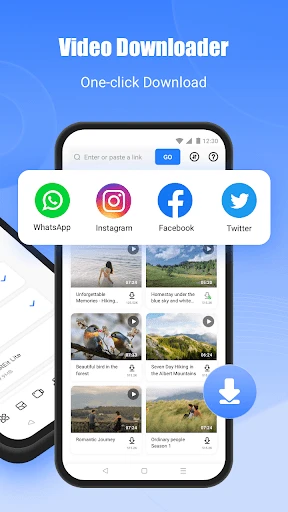
Although its main job is file sharing, SHAREit includes several other useful tools. For example, it has its own media player so you can watch videos or listen to music right inside the app. There's also a handy tool for cleaning out unnecessary files from your device, which can help you reclaim some storage space.
That said, SHAREit's effort to be more than a file-transfer app has a drawback. The interface can feel a bit crowded and busy with all these extra features. If you like a clean and simple layout, this might not be your favorite.
A Note on Data Security
Privacy is a major concern for everyone today, and it's important to know that SHAREit has been involved in some past controversies over data safety. The company says they have fixed these problems, but it's still wise to pay close attention to what access you allow the app to have on your phone.
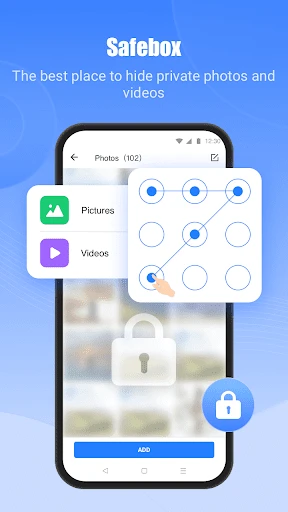
On a positive note, you can use the main features of SHAREit without having to sign up for an account or hand over any personal details, which is good news if you like to keep your information private.
In conclusion, SHAREit is a robust app that delivers on its promise of fast and convenient file sharing. It’s a must-have for anyone who frequently needs to transfer large files between devices, especially when internet bandwidth is limited. While the additional features might not be everyone’s cup of tea, the core functionality of SHAREit is spot on. Just remember to keep an eye on those app permissions, and you’re good to go
Pros
- • High transfer speed for large files.
- • Supports multiple file formats.
- • Cross-platform compatibility.
- • No internet required for transfers.
- • User-friendly interface.
Cons
- • Contains ads and bloatware.
- • Security concerns with file sharing.
- • In-app purchases for some features.
- • Occasional connectivity issues.
- • May not work on older devices.
FAQ
What is SHAREit and how does it work?
SHAREit is a file-sharing app that allows users to transfer files between devices without using mobile data or Wi-Fi. It uses a direct Wi-Fi connection to enable fast and smooth file transfers between phones, tablets, and computers, making it ideal for sharing photos, videos, music, apps, and more.
Is SHAREit safe to use for file transfers?
Yes, SHAREit is generally safe to use for file transfers. It uses a secure Wi-Fi connection to transfer files directly between devices, eliminating the need for third-party servers. However, users should be cautious about sharing sensitive or personal information and ensure their devices are protected with up-to-date security software.
Does SHAREit support cross-platform file transfers?
Yes, SHAREit supports cross-platform file transfers between Android, iOS, Windows, and Mac devices. This versatility makes it a convenient tool for users who use different operating systems and need to transfer files without compatibility issues. The app ensures seamless sharing regardless of the platform.
What types of files can I share using SHAREit?
With SHAREit, you can share a wide variety of file types, including photos, videos, music, documents, apps, and even entire folders. The app is designed to handle both small and large files efficiently, making it a versatile tool for users who need to transfer different kinds of data quickly and easily.
Are there any size limitations for file transfers on SHAREit?
SHAREit does not impose strict limits on file size, meaning you can transfer large files or folders without the usual restrictions found in email or messaging apps. This feature is particularly useful for users who need to share high-definition videos, extensive photo albums, or other sizable data sets without hassle.