
Auto Clicker - Automatic tap
ToolsAutomatic Tapping Assistant For Mobile Gaming.
Rating
4.5
Installs
100,000,000+
Price
Free
Screenshots
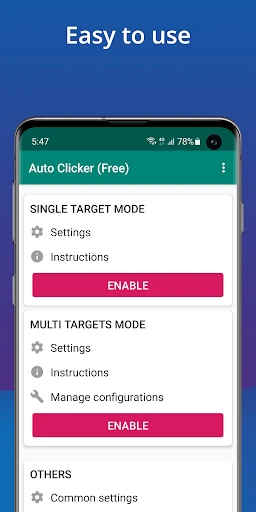
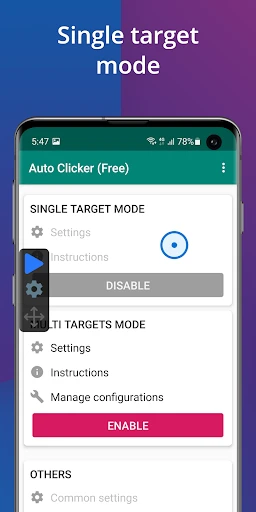
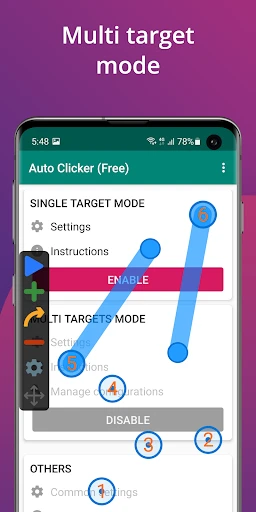
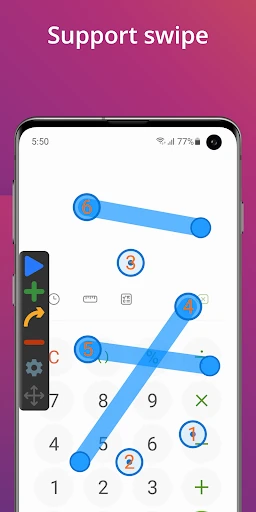
Ever felt like your fingers are about to fall off from all the tapping on your screen?
Tap, Tap, and Relax
Ever feel like you're tapping your screen non-stop? That's where the Auto Clicker - Automatic tap app comes in. It's a simple tool that handles all those repetitive taps for you. Think of it as your personal tapping robot, perfect for gaming, voting, or just keeping your screen active so you don't have to.
Setting It Up: Easier Than Making Instant Noodles
Getting this app running is super simple. Just open it up, give it the permissions it needs to work on your screen, and you're all set. The layout is basic and easy to understand, no complicated menus to figure out. You can then choose how many taps you want and how fast you want them to happen. Need a hundred taps a minute or just one a second? You're in complete control.
Why You’ll Love It
Picture this: you're deep into a game and need to tap constantly to win, but your fingers are getting tired. This app lets you keep playing without the pain. It's a real advantage for gamers. And it's not just for games. If you use any apps where you have to tap repeatedly to earn rewards or stay active, this app does the boring work for you, freeing you up to do other things.
Final Thoughts
In today's busy world, saving time and effort is everything. This app is a real helper for anyone who wants to be more efficient and save their fingers from all that tapping. It might not be the fanciest app, but it works reliably. If you're fed up with repetitive tapping, it's definitely worth trying out. It could be the handy tool you never knew you needed.
Pros
- • User-friendly interface and setup.
- • Supports multiple swipe and click points.
- • Customizable click intervals.
- • Works in the background seamlessly.
- • Battery efficient performance.
Cons
- • Requires accessibility permissions.
- • Limited support for complex gestures.
- • Ads in the free version.
- • Occasional app crashes.
- • Limited features in free version.
FAQ
What is Auto Clicker - Automatic tap used for?
Auto Clicker - Automatic tap is a tool designed to automate screen tapping on Android and iOS devices. It's particularly useful for games or applications where repetitive tapping is necessary, saving time and effort for the user. It allows you to set specific intervals and durations for the taps, making it a versatile tool for various scenarios.
Is Auto Clicker - Automatic tap safe to use on my device?
Yes, Auto Clicker - Automatic tap is generally safe to use. However, it is crucial to download it from reputable sources like the Google Play Store or Apple App Store to avoid malicious versions. Ensure that your device's security settings allow the app's functionality, and monitor app permissions to maintain your privacy and security.
Does Auto Clicker - Automatic tap require root or jailbreak access?
No, Auto Clicker - Automatic tap does not require root access on Android devices or a jailbreak on iOS devices. It is designed to function within the standard operating system environments, making it accessible to a wide range of users without compromising device integrity or warranty.
Can Auto Clicker - Automatic tap be customized for different applications?
Yes, Auto Clicker - Automatic tap offers customization options to suit various applications. Users can set the number of taps, interval duration, and tap location coordinates. This flexibility allows users to tailor the app's functionality to their specific needs, whether for gaming or enhancing productivity applications.
How can I ensure that Auto Clicker - Automatic tap performs optimally?
To ensure optimal performance of Auto Clicker - Automatic tap, regularly update the app to the latest version for bug fixes and new features. Adjust the settings according to your device's capabilities, and close unnecessary background apps to free up resources. Additionally, check for device compatibility and troubleshooting guides if issues arise.