
Video Maker & Photo Music
Video Players & EditorsVideo Maker For Everyone With Music.
Rating
4.9
Installs
10,000,000+
Price
Free
Screenshots
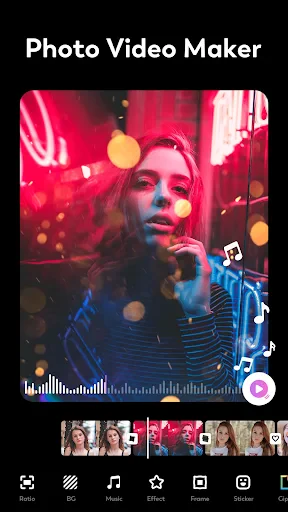
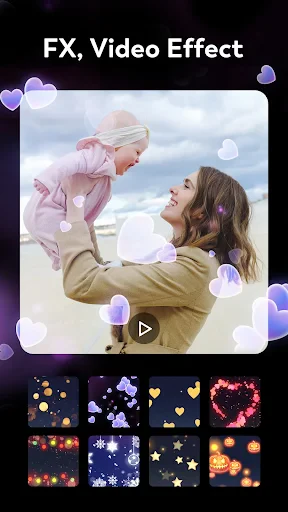
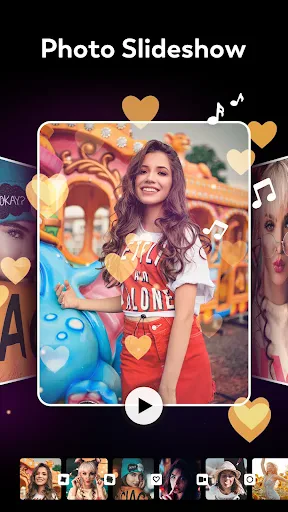
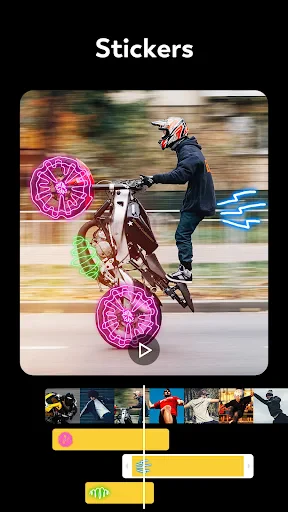
Discovering the Magic of Video Maker | Photo Music
Hey everyone, creative folks! 🎥 Have you ever been flipping through your camera roll, thinking back on that amazing beach vacation or your dog’s hilarious new trick? Well, guess what—there’s an app that can turn those special memories into a movie-like video, paired with the songs you love. Let me tell you about Video Maker | Photo Music, a clever mobile app that helps you create beautiful videos from your pictures and music, all in just a few simple steps.
An Easy-to-Use Interface
First, let’s chat about how the app feels to use. If you’re like me, you love when an app doesn’t make you feel like you’re solving a puzzle just to get started. Video Maker | Photo Music is super simple and user-friendly. You won’t get confused by complicated menus. Everything is right where you’d expect, so even if you’ve never edited a video before, you’ll find it easy to get around.
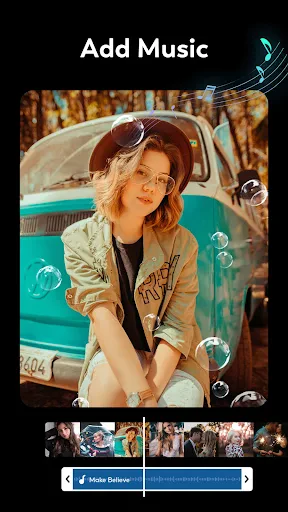
All you do is pick your photos, put them in the order you want, and then choose a song. The app has lots of music to pick from, or you can use your own. It’s like a simple drag-and-drop creative space for telling your story with pictures and sound.
Tools to Get Your Ideas Flowing
Now, let’s get into the exciting part! This app does more than just line up photos. It’s loaded with tools that help you get creative. You can add transitions, filters, text, and stickers—there are so many ways to make your video unique. Feel like giving your video a vintage look with a sepia tone, or making it pop with cool transitions? No problem!
One tool I really like is being able to control how long each photo stays on screen. That way, you can spend a little extra time on that perfect sunset shot or quickly flip through all those selfies with your furry friend. And the videos come out in high quality, so they look polished and ready to post anywhere.
How It Holds Up Day-to-Day
In terms of performance, Video Maker | Photo Music works really well. It runs smoothly, without freezing or crashing. Even when you’re using high-quality photos, the app stays reliable—which is something I really appreciate. It’s available for both Android and iOS, so everyone can join in.
One quick note: the app is free to download, but some special features do cost extra. Still, the free version gives you more than enough to work with for everyday projects.
Wrapping It Up
In a time when we’re always snapping pictures and recording moments, Video Maker | Photo Music gives you a fun and easy way to bring those memories to life. Whether you’re making a video for a birthday, a vacation recap, or just a shareable clip for your friends, this app is a handy helper.
So why not give it a try? Open up your photo gallery, choose your best shots, and start creating. This app doesn’t just make video-making possible—it makes it fun. Enjoy your editing! 🎬
Pros
- • Easy to use interface for beginners
- • Wide range of editing tools
- • Supports high-quality video export
- • Variety of music options available
- • Allows sharing directly to social media
Cons
- • Contains in-app purchases
- • Limited free version features
- • Occasional app crashes
- • Ads can be intrusive
- • Requires internet connection for full features
FAQ
What features does Video Maker | Photo Music offer?
Video Maker | Photo Music offers a variety of features including video editing, music integration, photo slideshows, and customizable templates. Users can trim, cut, and merge video clips, add background music from their library, and apply filters and effects. It's designed to be user-friendly for both beginners and advanced users.
Is Video Maker | Photo Music free to use?
Video Maker | Photo Music offers both free and premium versions. The free version includes basic features with ads, while the premium version, available through in-app purchases, unlocks advanced features such as additional effects, transitions, and ad-free experience. Users can choose based on their editing needs.
Can I use my own music in Video Maker | Photo Music?
Yes, Video Maker | Photo Music allows users to import their own music tracks to enhance their videos. You can select songs from your device’s library and sync them with your video clips. This feature provides flexibility and creativity in personalizing your video projects.
What are the system requirements for Video Maker | Photo Music?
Video Maker | Photo Music is compatible with both Android and iOS devices. It requires Android version 5.0 and up or iOS 11.0 or later. Ensure your device has enough storage space and memory for optimal performance, especially when working with high-resolution videos and extensive edits.
How user-friendly is Video Maker | Photo Music for beginners?
Video Maker | Photo Music is designed with an intuitive interface that is easy to navigate for beginners. It offers guided tutorials and tips to help new users understand the editing tools and features. The drag-and-drop functionality and pre-made templates make video creation simple and efficient for users with little to no editing experience.