
Action Launcher: Pixel Edition
ActionAction Launcher Pixel Edition Customize Your Android Home Screen.
Rating
3.7
Installs
10,000,000+
Price
free
Screenshots


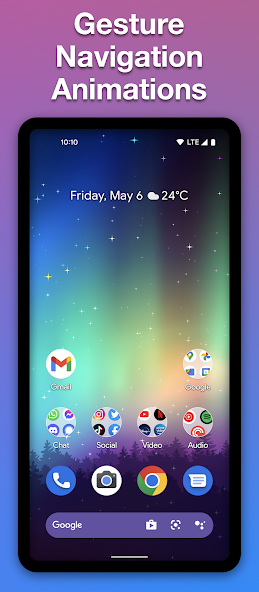

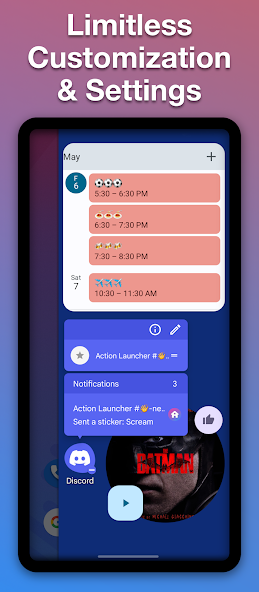
About Action Launcher: Pixel Edition Features – A Seamless Pixel Experience for Any Android Device
Action Launcher: Pixel Edition is a premium Android launcher application that meticulously replicates and enhances the clean, intuitive user interface experience of Google's Pixel phones. It is designed for users who admire the Pixel's aesthetic and functionality but own a device from a different manufacturer. The app delivers the signature Pixel look, including the At a Glance widget, the app drawer, and smooth animations, while integrating powerful customization tools and unique features from the Action Launcher series. It strikes a perfect balance between offering a pure, stock Android feel and providing advanced personalization options, making it a top choice for enthusiasts seeking both familiarity and control over their home screen.
Chapter 1: Function
Action Launcher: Pixel Edition core functions center on emulating the Pixel launcher environment and extending it with smart capabilities. Primarily, it installs the iconic Pixel home screen layout, complete with the Google Search bar at the bottom and the distinctive At a Glance widget that surfaces calendar events, weather, and other timely information. It includes the Pixel-style app drawer that can be accessed by swiping up from the dock. Beyond replication, the app introduces innovative features like Quicktheme, which automatically extracts dominant colors from your wallpaper to theme icons and the interface uniformly. The Shutter feature allows users to swipe right on an app icon to reveal a widget or shortcut panel, and Quickpage offers a dedicated side panel for widgets and shortcuts. These functions work together to provide a fluid, efficient, and visually cohesive navigation system.
Chapter 2: Value
The primary value proposition of Action Launcher: Pixel Edition lies in its ability to democratize the premium Pixel software experience for a vast array of Android devices, bypassing manufacturer skins and bloatware. Its key advantage is the fusion of Pixel's renowned simplicity and polish with deep, thoughtful customization not found in the stock Pixel launcher itself. The app offers superior performance optimization, ensuring smooth animations and responsiveness that rival native implementations. The unique Quicktheme engine provides a level of automatic, harmonious theming that enhances visual appeal without manual effort. Furthermore, features like Shutter and Quickpage significantly boost productivity by enabling faster access to information and actions, reducing the need to open apps fully. For users, this means enjoying a clean, bloat-free interface that is both aesthetically pleasing and highly functional, all while retaining the freedom to tweak and personalize aspects like icon packs, grid size, and gesture controls. It represents a cost-effective way to transform any Android phone's interface into one that is more elegant, efficient, and uniquely personal.
Chapter 3: Scenarios
Action Launcher: Pixel Edition primarily targets Android users who are dissatisfied with their device's default launcher but appreciate the minimalist design philosophy of Google's Pixel lineup. This includes owners of Samsung, OnePlus, Xiaomi, or other brand phones who desire the clean, uncluttered Pixel aesthetic. It is ideal for productivity-focused individuals who value quick access to information through At a Glance and efficient navigation via gestures and side panels. Enthusiasts and tech-savvy users who enjoy customizing their device's look and feel while maintaining a coherent design language will find its feature set compelling. Everyday use cases involve setting up a new phone with a familiar Pixel-like interface, quickly checking calendar and weather on the home screen, using swipes on app icons to check email previews or control music playback, and organizing widgets in the Quickpage panel for a clutter-free main screen. It serves as a daily driver launcher for anyone seeking a refined, intelligent, and highly responsive home screen experience that bridges the gap between stock Android purity and powerful customization.
Pros
- • integrates Pixel's at-a-glance widget on any device
- • adaptive icon theming works with non-Google icon packs
- • cover feature allows direct widget access from app icons
- • quick page offers a dedicated space for search and widgets
- • minimal battery drain despite extensive customization options
Cons
- • requires Android 8.0+
- • excluding older device compatibility
- • advanced gesture controls have a noticeable learning curve
- • Pixel-exclusive features may duplicate on non-Pixel phones
- • free version restricts access to some theme and backup features
- • rapid update cycle can occasionally introduce minor UI bugs
FAQ
What is Action Launcher: Pixel Edition?
Action Launcher: Pixel Edition is a home screen replacement app for Android that mimics and extends the Pixel Launcher experience. It provides the core Pixel UI with features like the At a Glance widget and the Google Search bar. Its unique additions include Quicktheme for automatic icon theming, Shutters for quick widget-like access to apps, and Covers that hide app folders behind app icons. It is designed for users who want a clean, Pixel-style interface with enhanced customization.
Is Action Launcher free or paid?
The app is free to download and use with core functionality. It operates on a freemium model with optional in-app purchases to unlock advanced features. These premium features, accessed via a one-time purchase or subscription, typically include deeper customization options for icons, gestures, and themes. The free version is fully functional for basic use, and any costs are clearly stated within the app's settings.
How does it differ from the standard Pixel Launcher?
While replicating the Pixel Launcher's aesthetics, Action Launcher adds significant productivity and customization features. Key differentiators are Covers (tap an icon to open the app, swipe to reveal a folder), Shutters (swipe on an icon for a widget pop-up), and extensive Quicktheme icon palette options. It also offers more grid size adjustments, gesture controls, and backup/restore functions, providing greater flexibility than the stock launcher.
What are common setup or performance issues?
Some users may need to manually set it as the default launcher in Android settings. Occasional app crashes or animation glitches can occur, often fixed by updating the app or OS. Widgets from other launchers may not transfer. If gestures feel unresponsive, check the app's own gesture settings and system navigation mode. Performance is generally smooth but can vary by device manufacturer and Android version.
Does it work on all Android devices and versions?
Action Launcher: Pixel Edition requires Android 5.0 (Lollipop) or higher. It is compatible with most Android phones and tablets from various manufacturers. However, certain device-specific integrations (like system-level gestures or theming) may be limited on non-Pixel or heavily skinned devices (e.g., some Samsung, Xiaomi models). It is not available for iOS. Always check the Play Store listing for the latest compatibility information.